• Skip to secondary menu
  • Skip to main content
  • Skip to primary sidebar
  • Skip to footer
  • Home
  • About Me
    • Privacy Policy
    • Disclaimer, Legal and Media Kit
  • Blog
  • Contact me

A Net in Time

Curriculum and book reviews, faith, homeschooling and more!

  • Art
  • Blogging Helps
  • Faith
  • Homeschooling
  • Poetry
  • Recipes
  • Reviews
  • Writing

Curriculum

Art Book: Canadian Art Ideas

June 28, 2017 By Annette1 2 Comments

The Canadian Art Ideas is a teacher resource book.    I used it with the lad when he was younger as it’s geared for grades 2-4.  It has over 50 different art activities, which honestly aren’t just good for Canada.

What makes it Canadian is the section they have about 2/3’s of the way through the book, Canadian Inspired Art Ideas, which covers topics such as aboriginal snowshoes, Canadian collage, the aurora borealis and more. 

The book is mostly though pages you can use to teach different art concepts which is a world wide teaching aspect eh?  🙂   Subjects such as texture, symmetry, line design, geometric shapes, drawing people and using dough to make structures. 
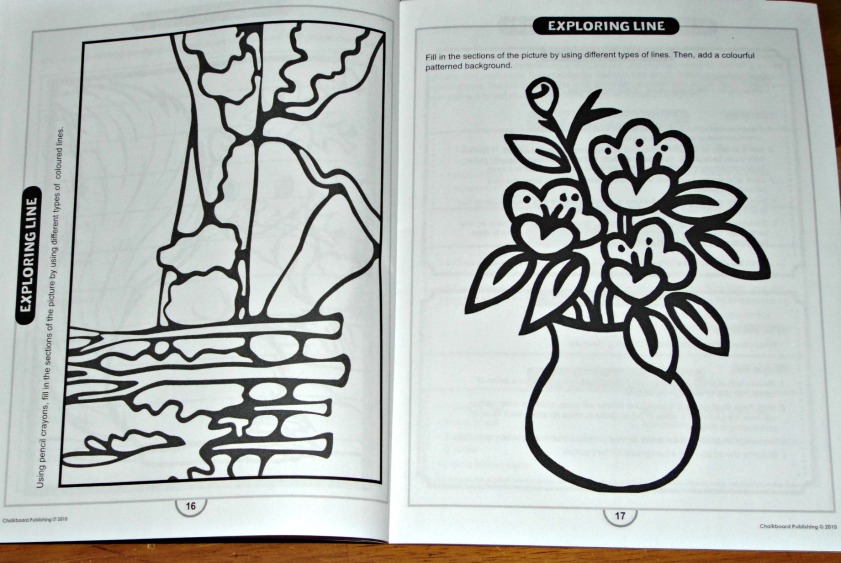
It’s a handy 80 page book that is almost fully reproducible (the student pages, not the teaching pages) for use with your homeschool or class. 
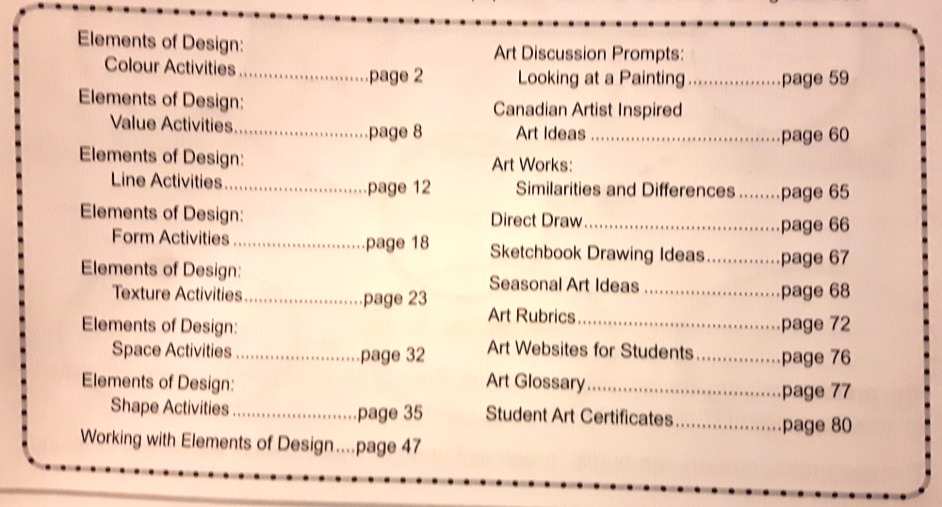
 This book is a useful addition to the study of art for any class any where, and helpful when studying the different areas of Canada for inspiration of how to do art differently as part of your studies. 

Canadian Art Ideas
Grade 2-4
Canadian Curriculum Teaching Resource
80 pages.
Type: Teacher Resource
Over 50 different art ideas
Chalkboard Publishing

Where can you find it?
Amazon.ca: Canadian Art Ideas Grades 2-4

——
This post may contain affiliate links – using affiliate links from A Net in Time helps fuel this blog and our homeschool – thank you!

©2006-2017 A Net In Time. All rights reserved. All text, photographs, artwork, and other content may not be reproduced or transmitted in any form without the written consent of the author. A Net In Time . We are a participant in the Amazon Services LLC Associates Program, an
affiliate advertising program designed to provide a means for us to earn
fees by linking to Amazon.com and affiliated sites

Filed Under: Uncategorized Tagged With: Art, Art Books, Art Series, Books for Adults, Canada, Curriculum, Series

Review: UnLock Math

June 20, 2017 By Annette1 2 Comments

Do you have a child needing a good grounding in math facts? Are they acting like they are ready to take an Algebra course but you aren’t certain, or you want to make sure they have all their facts before they embark on a full Algebra course?   If so UnLock Math‘s UnLock Pre-Algebra is just the course you need! 

Unlock Math is a online computer program designed to take incremental steps to solidly teach your children the math they need to know.   Step by step, day by day, using a set method to teach.

Working from the warm up through to the challenge section.  My lad has been known to ask “why do they sometimes have harder questions in the warm up section than they do in the practice section?”   And honestly.. I don’t know.  I do like that it makes him think without giving him a time pressure to deal with. 

He likes that it has a set method for each lesson, knowing what to expect and about how long it takes for him to complete it. 

It took us a bit of time to understand how to start, you see those rockets next to the name of the chapter?   Click on that!   We kept thinking we needed to click on the chapter title, but it’s the rocket that launches the lesson.

 The rocket will lead you to a new section which shows the scope of the chapter. This section will show which lesson has been completed, and which lessons yet to be completed.   I liked how the quizzes and tests were in one column and how they lined up with the lessons completed.   Made it very easy to follow and once my son understood the system I could just let him fly with it.   Often times he completed his lesson without any input from me.  Nice to have that eh?

He told me the videos were very easy to understand.

One section I want to mention that my lad told me he never used “cause I didn’t ever need to mom” was the reference notes section.   This section opens up a PDF which are basically the notes of the lesson in written form.  A practical help for those students needing to see things written down.

 It’s a well put together, logical math program, designed to encourage your students to do well at math.  The grading is automatic, and you can watch their progress as the teacher.

With the students being able to watch their progress as well.  For the overall course

 as well as for the individual course.

 My Thoughts:

So son, what do you think of Unlock Math?
“It teaches me new things in a way that makes sense.”

Which you do like better?  Your favourite ever math program or Unlock?
“I don’t know mom, I like them both.”

You get to choose what math you want to do today, which one will you do?
“I think I will do…Unlock Math. is that okay?”

I have to admit, I’m surprised.  My son has a math program that he loves, to the point that he’ll argue with me over it’s merits versus any other program.   He started Unlock Math with a great deal of trepidation.  Would it be as good as his favourite math program or not?   What happened if he hated it?   Would he be forced to endure another math program that he hated?

About the second lesson in he came to me with a great deal of surprise “Mom, Unlock taught me something I didn’t know!!!”   I smiled.  My lad was hooked.  This.. this is a good math program.  A program that can cause my lad to forego the “best ever math” for it.   It’s left me surprised as I listen to my lad explain what an integer is, and how I missed teaching him one of the greater than, less than signs, and (on and on).  It’s good to have a boy talking math and what he’s learning.  Very good indeed.

Vendor: UnLock Math
Product received: Unlock Pre-Algebra
Type: Math Program, On-line.
Do you want to use UnLock Math? If you follow this link you will save $50 off on an annual purchase of UnLock Pre-Algebra,
UnLock Algebra1, or UnLock Algebra2.

Other programs reviewed are:
UnLock Pre-Algebra
UnLock Algebra1
UnLock Algebra2
UnLock Geometry 

To see what all 65 reviewers thought, please click here or on the image below.
 http://schoolhousereviewcrew.com/pre-algebra-algebra-and-geometry-unlock-math-reviews/Social Media Links:

  • Facebook:  https://facebook.com/UnLockMath    Tag:   @UnLockMath   
  • Twitter:  https://twitter.com/UnLockMath    Tag:   @UnLockMath   
  • Pinterest: https://pinterest.com/UnLockMath            Tag:   @UnLockMath 


This post may contain affiliate links – using affiliate links from A Net in Time helps fuel this blog and our homeschool – thank you!

©2006-2017 A Net In Time. All rights reserved. All text, photographs, artwork, and other content may not be reproduced or transmitted in any form without the written consent of the author. A Net In Time .

Filed Under: Uncategorized Tagged With: Curriculum, homeschool, math, Review, TOS

Review: Outdoor Leadership

June 16, 2017 By Annette1 2 Comments

 I remember going away to camp for a week in the summer, doing things outside, bring kept busy by counsellors, crafts, hikes and so much more.  I remember the lack of fairness, the hurt when I was put in charge of a foster kid, and not allowed to just be a kid a camp having fun.  Being held responsible for that child’s poor decision making skills.   I also remember one counsellor and his love of the outdoors, his willingness to point out animal tracks and cool insects.     Therefore when I offered a chance to review “Outdoor Leadership” I took them up on the offer, I wanted to see what type of training one should look at if wanting to be a leader for outdoor activities.

This book is nothing if not thorough, and I freely admit I did not read all 384 pages of smaller then average typeface.    Printed in black and white throughout, Outdoor leadership is divided into four sections, 18 chapters in total.

1. Foundations of outdoor leadership
    1. The Journey Begins
    2.  History of Outdoor Leadership
    3. Outdoor Leadership as Professional Practice
    4. Cultural and Social Justice Competency
2. Outdoor Leadership Theory
    1. Theories of Leadership
    2. Leadership in Practice
    3. Decision-making and Judgement
3. Teaching and Facilitation
    1. Understanding Facilitation
    2. Facilitating Personal Development
    3. Facilitating Interpersonal Development
    4. Challenge Course Leadership
    5. Teaching Strategies
4. Natural Resource and Program Management
    1. Parks and Protected Areas Management
    2. Environmental Stewardship
    3. Program Management
    4. Safety and Risk Management
    5. Expedition Planning
    6. Assessment and Evaluation
As you can see from the photo, each chapter has several subsets.

Each chapter contains a variety of exercises to work though, all with the end purpose of making you a better leader and manager. 

with inspirational quotes to guide your way

I really liked it how each chapter lays out the goals of the chapter and breaks down how they plan to do that.

Book Synopsis:
Outdoor Leadership, Second Edition,
is the definitive text for developing student leadership in outdoor and
adventure settings throughout the world. Crafted by an author team
internationally recognized for their research, teaching, and experience
in outdoor and adventure leadership, this new edition provides students
with the foundational knowledge they need to develop as competent
professionals in the field.

My Thoughts: 
I think this is a great technical book that has plenty of exercises and thought provoking work for those who want to be an outdoor leader. It covers basically every aspect needed to be successful.  If running an outdoor program is a goal that you have, Outdoor Leadership will help you reach it!

Outdoor Leadership: theory and practice, 2nd edition
Bruce Martin, Mary Breuning, Mark Wagstaff and Marni Goldenberg.
HumanKinetics.com
Pages: 384
Type: Softcover, technical manuscript

Reviewed for: HumanKinetics.com

This post may contain affiliate links – using affiliate links from A Net in Time helps fuel this blog and our homeschool – thank you!

©2006-2017 A Net In Time. All rights reserved. All text, photographs, artwork, and other content may not be reproduced or transmitted in any form without the written consent of the author. A Net In Time .

Filed Under: Uncategorized Tagged With: Book Review, Books for Adults, Curriculum, Review, Science

Review: Smartick Math

June 14, 2017 By Annette1 2 Comments

Imagine if you would, a daily math program, that after assessing the student, teaches them math every day, in short sessions, that the not keen on math student actually enjoys doing?  An intelligent math program called the Smartick Method (or Smartick for short).

What is Smartick?
Smartick is an on-line math learning system that teaches your children math through exercises and math problems.  

Problem solving skills is a big part of the program, my son has learned that you need to carefully read the questions before answering them.  Sometimes the obvious answer is not really the question being asked.

When you start with Smartick, first you get to set up your avatar.

The next thing you is spend the first few sessions being evaluated.  It’s been a while since the lad did it, but I think it took him three days to complete the assessment as I didn’t make him do it all at once.  The program takes into account your speed at answering questions as well as correctness to help place you accordingly.

As you start and close each days sessions it asks you how you are feeling.

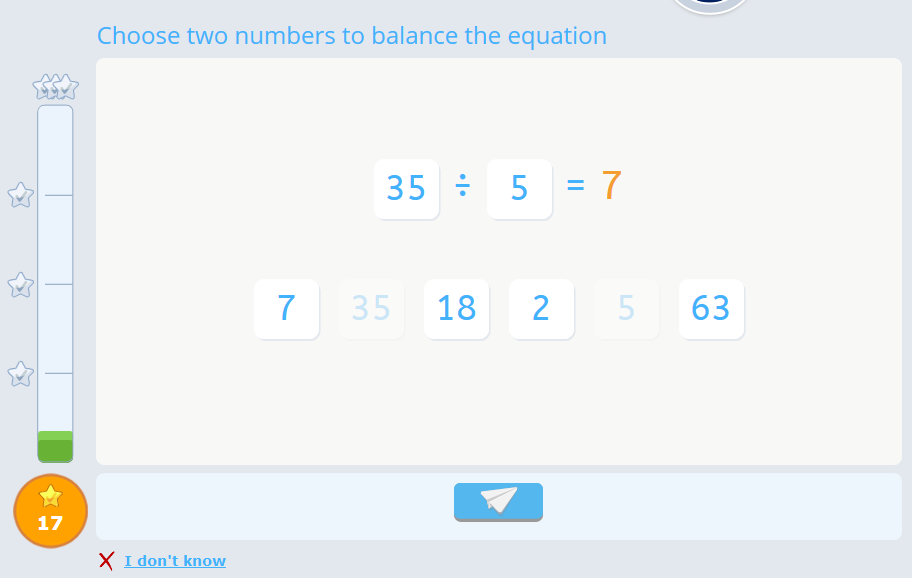
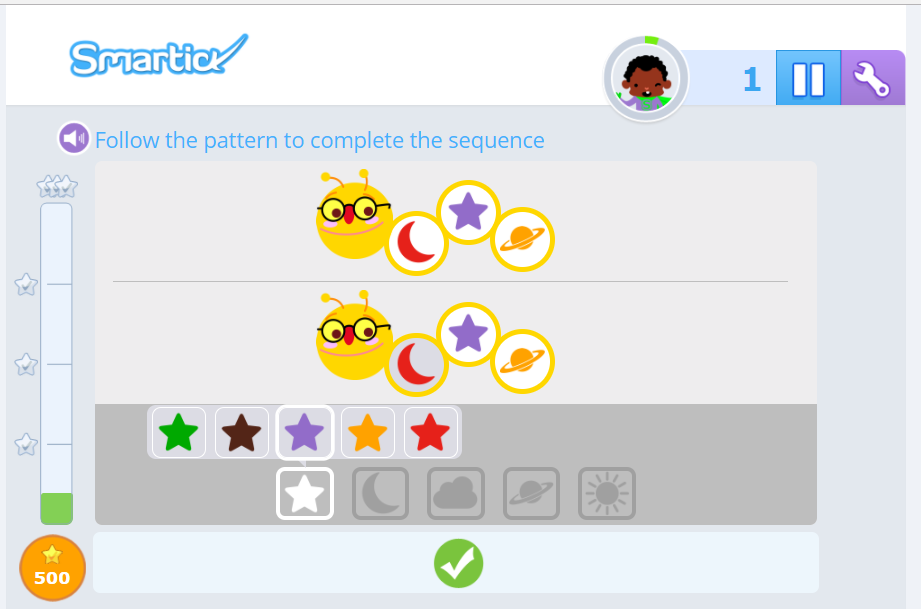
Each session is divided into two sections.   A section with lot of math questions.  No problem solving in this section, just math questions.    The second section is shorter and focuses just on word problems. 

A math question:

A word problem

A correct answer earns you a green checkmark.

Whereas an incorrect question will get you a red “x” with the correct answer popping up immediately.

To the side of each question is a graph bar.  This feels up with red if you answer questions too slowly, and green as you answer questions quickly and accurately.  The more accurate your answers, and the quicker you answer them the faster the bar fills up and the more ticks you get.

An number keyboard is provided, but if you don’t like it there is a settings board you can use to use your keyboard number pad. 

At the end of each lesson, just before you close it, you are given the opportunity to earn an extra tick by correcting all your mistakes.   

When you finish your lesson for the day you can spend your ticks earned in the shop and set up interesting things in your room.  My son spends all his “money” on feeding his cat!  🙂

As each days lesson ends I am sent a report on how he has done.

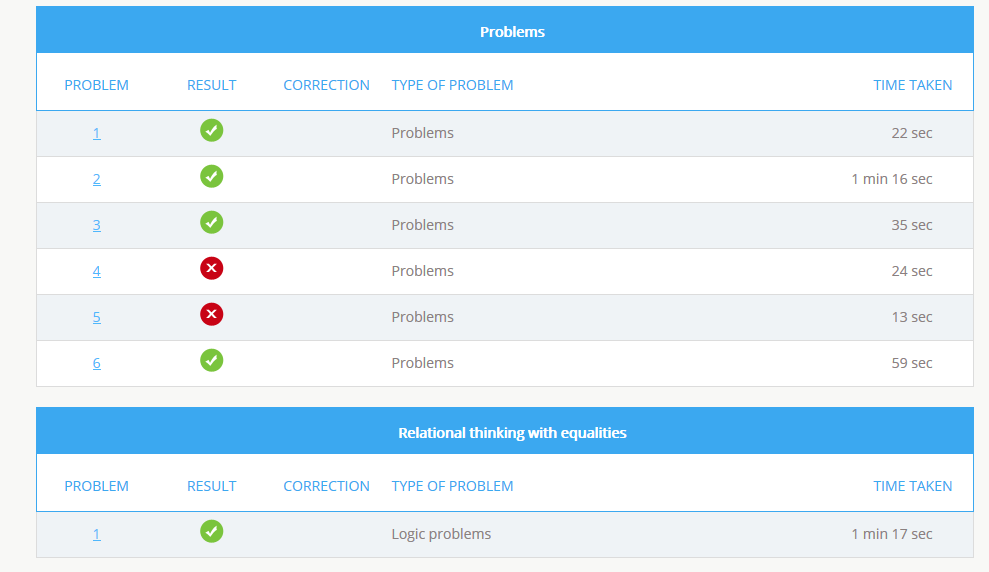
If I go to the report it brings up a page showing all the questions.  It will then show the question and answer so that I can talk with him about why he got it wrong.   The first few times it was problems he got wrong simply from not reading the question through.   It does have a bit of a learning curve as sometimes you not only have to type in the answer, but you need to toggle the multiple choice to get the right topic.  (I don’t know how else to explain that part as I can’t get a screen image).

As you can see here…one of his wrong answers he did in 13 seconds, I asked him what happened.  His response was “I didn’t understand it mom, the answer was asking for something not in the question so I just guessed”.   This was one of the toggle the answer to get the correct subject questions and he (at that time) didn’t understand what he was to do.

Once he understood the system, he found it quite easy to do.  The first section he would regularly get in the 90%, the word problems would be in the 80% range.   As he is learning to read the questions thoroughly his marks with this section is also improving.

 
Our thoughts
Both my son and I love the immediacy of the reports.   It seems the very minute he’s done I get an email telling me about the session he just completed. 

He loves that it is quick.   When he first started the program they kept telling me he was too quick, but the program has since adjusted and simply says “fast” for speed in answering.   The quicker you answer, the more coins you get so the incentive is there.

For the main questions he will frequently say “they should ask me harder questions” but for the second level of questions “Mom, these take longer.”  From the sounds he makes I can tell that they are making him think and take his time, and he’d rather know it, answer it and then move on.  This boy LOVES to do his math quickly!  🙂

My son dislikes the “how are you feeling today” section.  He cannot figure out why a computer would want to know that information.
 
Is he learning? Yes.  It’s good to see the progress.  This is an excellent tutoring program, designed to help students excel in school.   It improves their speed and mental math abilities. It increases their logic, starts them working with algebra, and gives a decent reward at the end.   

We only found one error in the program, which was corrected very quickly.  I have found their customer service to be outstanding.

The Smartick Method.  
Received One Year Membership
 Age 4-14 years
Works on PC, Android or Tablet.

Currently on sale!   Try it for the summer and see if you like it.  Keep math fresh with an program designed to keep your children interested.

 Over the summer my lad will be using this program off and on.  He has two other math programs that he uses as well and at the time of this writing isn’t sure which one he likes the most.  It’s a quick and easy program to use that will keep his math skills sharp.

This post may contain affiliate links – using affiliate links from A Net in Time helps fuel this blog and our homeschool – thank you!

©2006-2017 A Net In Time. All rights reserved. All text, photographs, artwork, and other content may not be reproduced or transmitted in any form without the written consent of the author. A Net In Time .

Filed Under: Uncategorized Tagged With: Curriculum, math, Review

Review: The Typing Coach

May 23, 2017 By Annette1 2 Comments

 Hello!   Today I want to tell you about a typing program the lad and I have been working on for the past few weeks.  You see the lad is currently writing a book called Space Cats and the work goes a bit slower than he wants so he wanted to learn to type faster… he’s getting some great typing practice using The Typing Coach Online Typing Course and put together by The Typing Coach. 

This online audio based typing program for children comes with PDF’s to download.  Two ebooks, one that’s the manual and the other the workbook.   The manual breaks the keyboard down into different sections with practice sections.  The workbook has the quizzes and tests to take to show proficiency.  The online portion includes an audio component that breaks down the fingering and helps teach accuracy right from the start.

Admittedly we used the audio component in a limited manner.  We liked that it emphasized how to sit properly and how to strike the keys.  Teaching that finger movement was helpful to the lad as he had expressed a curiousity about how I could hit the q and the z so easily. 

The audio had some good basic instructions but we stopped using it because I found my lad arguing with it and talking back to the computer in a less than …. pleasing manner. It provided a talking point as, up until this time, I’d been setting him up and basically letting him work through it. The end result of our talking was this, the lad listened just enough to get the basic instruction but once the basic instruction was over he switched to just practicing and memorizing key placement.   Then I would call out the letters of the row (s) he was working on (thanks Mr. Kimball for the idea) and he would type them OR tell me where the letter was on the keyboard. This made for a much more pleasant learning environment.  It enabled us to cover the part of the audio that he found vexing, while working the program as suggested.

My son is working on memorizing key placement, doing the practice session and, when he is ready, taking the quizzes. He has learned it isn’t failing if he has to go back to do more memorizing.  Happy child learning to type.. which is exactly what I want for him.

Would you like to know what the course outline is?   Here it is:

  • Course Introduction
  • Before & After Snapshot
  • Having Good Posture
  • Home Row
  • Top Row
  • Bottom Row
  • Shift Keys
  • Evaluating Your Skills
  • Typing Practices
  • Number Row
  • Serious Practicing
  • Final Assessment
  • Conclusion

 We are not working through the course speedily but I am seeing progress and his confidence being boosted in his typing abilities. I would say that more importantly HE can see that he is making progress and that is the important thing.  The tests that he takes tell him how he is doing and he’ll come down and say “MOM!  Guess what!   I got the first top row quiz right!!   I made no mistakes!”

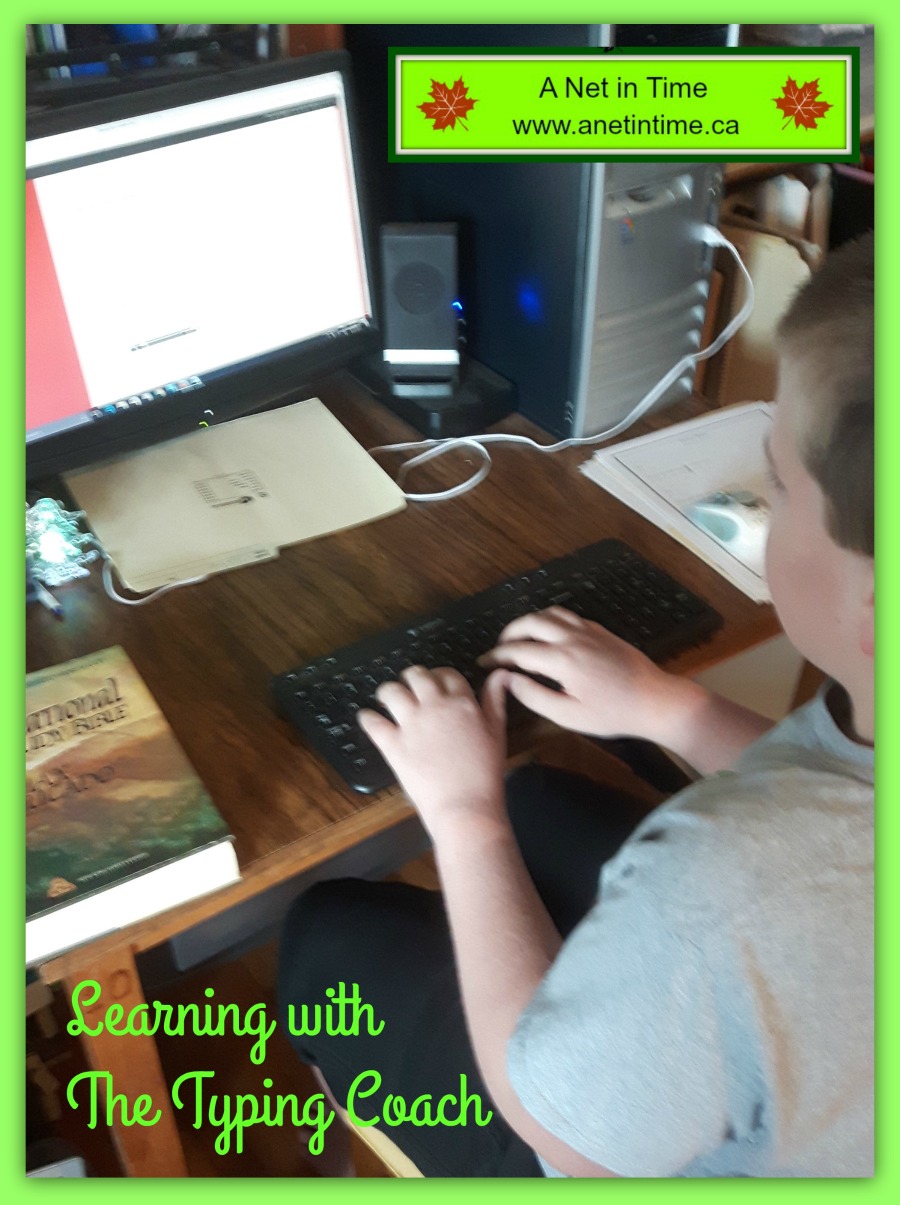
As the tests etc are all done on-line it’s admittedly difficult for me to show you some of the lad’s completed work but… I can show you the book he’s working on.  🙂   He types for 20 minutes every day and I find that his daily output is getting longer the more confident he gets.  🙂  I can’t say he LOVES doing his keyboarding practice to get to this point, but he is starting to see the value.

We have a goal in mind you know.  To learn how to touch type quickly, but until then, the lad has figured out that it doesn’t matter how long it takes, as long as he eventually gets there.  He eventually wants to type as fast as his mom does without looking at the board.  It’s a good thing that eh?

As Dave says:

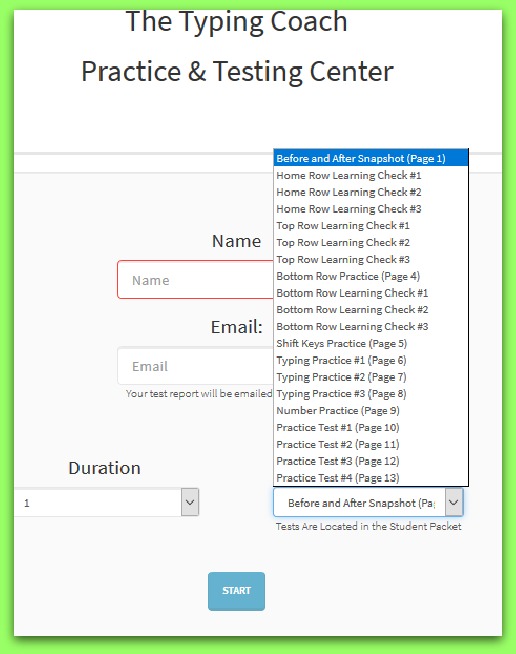
As we go through the course, we find the initial learning is done using your computer’s word processor but all practices and tests are done in the Typing Coach Practice and Testing Center. It’s starts testing from the moment you press down the first key.  All lessons and tests are in a pull up menu.  You just need to input the students name and email and select your item along with a time limit and it sets it all up for you.  You can find the correct time limit in the PDF.

The student knows immediately how they did, and you can get a copy sent to your email immediately.  As you can see, they spell out just what the error was, even if it was too many spaces, or a word spelled incorrectly.    The lad liked the immediate feedback, though occasionally found it frustrating if he accidentally put in one too many spaces and it threw the whole thing off.  But for my accuracy minded lad it made sense to him.  🙂

Our Opinions:

It works!   That’s the good thing right?   Mr. Kimball works hard to ensure that his students are learning well.  In the end, the lad is seeing progress, I am seeing progress and that makes for a usable, workable program.   Just make it work for you.

Vendor: The Typing Coach
Product: The Typing Coach Online Typing Course
Received: one year subscription to the online course
How many can use: multiple students 
Price: $17 per year

One hundred members of the crew are reviewing The Typing Coach, I hope that you’ll check us out, click here or on the image below. 

Social Media Links:

  • Twitter:  https://twitter.com/thetypingcoach    Tag:@thetypingcoach   

This post may contain affiliate links – using affiliate links from A Net in Time helps fuel this blog and our homeschool – thank you!

©2006-2017 A Net In Time. All rights reserved. All text, photographs, artwork, and other content may not be reproduced or transmitted in any form without the written consent of the author. A Net In Time/

Filed Under: Uncategorized Tagged With: Curriculum, hands-on learning, homeschool, Review, TOS

Canada Book: Canada My Country

May 8, 2017 By Annette1 2 Comments

 Busy clearing out some book shelves and thought I’d share some of the books we’ve enjoyed over the years.   Canada My Country is a work book with stories.

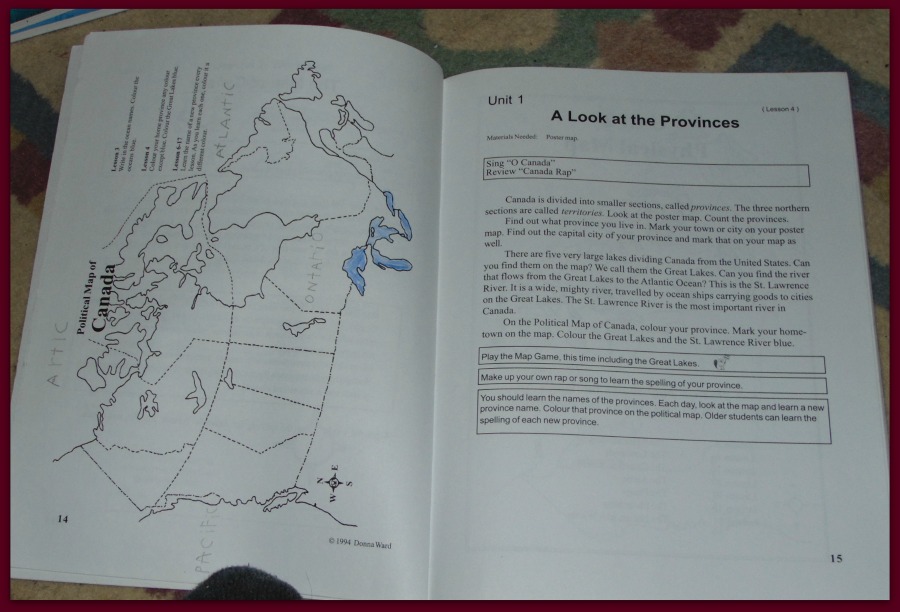
Read a story or an article on some aspect of Canada, and then do a short worksheet.

Six separate units covering topics like Canada’s Political Map, It’s Physical Map, The Symbols of Canada, Our Government, the Freedoms of Canada and some outstanding Canadians.

Twenty seven lessons contained within 75 pages.

Geared for up to about grade four.  It’s an easy book to pull out the information that you want, with permissions for a single teacher to replicate pages for her students as needed.

It’s been a helpful book for us over the years.   If studying Canada with younger children this book will come in very helpful to you.  🙂

The pages are easy to do and the information short enough

 As you can see.. short selections, easy worksheets the fit the level of elementary aged children.

Published by Northwoods Press, written by Donna Ward.

Where To Find?

 Amazon.ca: Canada, my country: Social studies for elementary grades

 Amazon.com – Canada, my country: Social studies for elementary grades

This post may contain affiliate links – using affiliate links from A Net in Time helps fuel this blog and our homeschool – thank you!

©2006-2017 A Net In Time. All rights reserved. All text, photographs, artwork, and other content may not be reproduced or transmitted in any form without the written consent of the author. A Net In Time/

Filed Under: Uncategorized Tagged With: Book Review, Books for Children, Canada, Curriculum, Series

Review: Compuscholar, Inc.

April 10, 2017 By Annette1 Leave a Comment

In this day and age of technology at our fingertips, solid computer skills are an essential part of learning, and the new Digital Savvy course from CompuScholar, Inc. provides excellent instruction in fundamental computing topics.

My son has been using the computer for quite some time now, but there is so much that he doesn’t understand about them, so when the chance came up for him to learn more about them, I totally jumped on it.  🙂   Digital Savvy is teaching him so much about computers, it’s neat to see his understanding deepen.

How does this online program work?
After you log into this online computer skills class you come to the main screen which outlines what the student will be learning.   The main title is clickable and will lead you to the lessons for the week.

 Twenty five lessons plus supplemental lessons.  Each lesson is clearly delineated with options for doing video and/or a written lesson, along with a quiz.  Five lesson in one week. Making it easy to complete one chapter per week, the lessons are short enough you can do two or more a day, along with the application part and the weekly test. 

Twenty three chapters of lessons, along with one mid-term project and one final project.

  • Fundamentals of Computer Hardware
  • Fundamentals of Computer Software
  • Operating Systems
  • Computer Files
  • Computer Maintenance and troubleshooting
  • Computer Networks
  • Search Engines
  • Computer Security
  • Word processing
  • Spreadsheet programs
  • Presentation programs
  • Database technology
  • Project management and teamwork
  • Digital Images
  • Internet Communications
  • Social Media
  • More Social Media
  • Creating Web Pages
  • Web Links, Images and Animation
  • Programming Concepts
  • Digital Logic
  • Careers and Professional Skills

One of the things I like is that the lessons aren’t all just learn this, learn that, here’s a test.   At the end of the week that have a practical component to help bring all the parts of the lesson together.  It helps cement the weeks lessons.

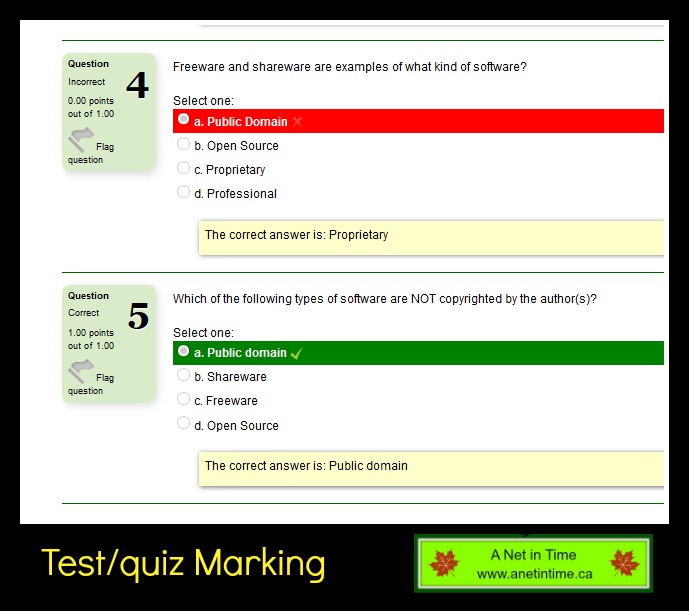
The quiz and tests are handled the same way, with multiple choice questions.
They clear show if you have the answer correct or not.

Marking is a breeze, the program doing it all for you, with the exception of the practical component (which encourages parental involvement eh?)  🙂   Checking them over means I can say to the lad… that lesson 3…I think redoing that one might be a good idea eh?   (and have a sheepish boy go …I didn’t like that one, but okay).

So far this computer science course is proving to be helpful to my lad, giving him a way to use computer language as he talks with his dad (who knows so much about computers it makes my head spin).  🙂  It is so great to find a program that will continue the connection between a dad and his lad, and if my son has any questions he can turn to his dad for advice, I do have to admit though, he hasn’t needed much help at this point (beyond how to do the practical application and the one lesson redo).

Marking projects is easy to do.  You simply go into your account as teacher, and mark the project using a rubric.

 You will find in the teachers area that there are all sorts of helps, professional development courses.   If you look under common administrative features it will bring up videos on  Grading students project, Using the Gradebook, Adding sibling accounts and more.

My Thoughts:
Other than when my lad complains about needing to read the student text (because he missed something in the test and needs to correct it) I don’t hear a lot of “Do I have to do this?”   I have a lad eager to complete the material and who talks about what he is learning.  That to me is a sign of elective that is enjoyed.   It’s been a great way for him to do some computer learning.   We’ll be finishing this course.

He has commented that he would like the chapter lessons to note which lessons he has completed.  He wishes the check marks would change colour when that days lesson is completed.

My son’s comments:
“I like that they have video lessons.  The lessons are interesting and relatively fast to do.  I try to not have to read the student text book though.”

Product: Digital Savvy
Vendor: CompuScholar, Inc. (formerly Homeschool Programming)
Ages: Grades 6-12
Type: On-line Product

We reviewed three courses:
Digital Savvy 
Web Design
Java Programming

100 reviewers have been using CompuScholar, Inc. products.  Read reviews here or click below. 

http://schoolhousereviewcrew.com/digital-savvy-web-design-java-programming-compuscholarinc-reviews/

Social Media Links: 
Homeschool Programming
Facebook – www.facebook.com/HomeschoolProgramming
Twitter – https://twitter.com/HSProgramming   @hsprogramming

CompuScholar, Inc
https://www.facebook.com/CompuScholar
https://twitter.com/CompuScholar   @compuscholar

 Hashtags: #hsreviews  #computerprogrammingforkids #codingforkids #computerskills

This post may contain affiliate links – using affiliate links from A Net in Time helps fuel this blog and our homeschool – thank you!

©2006-2017 A Net In Time. All rights reserved. All text, photographs, artwork, and other content may not be reproduced or transmitted in any form without the written consent of the author. A Net In Time/

Filed Under: Uncategorized Tagged With: child-led learning, computer Learning, Curriculum, homeschool, Online, Review

  • « Go to Previous Page
  • Page 1
  • Interim pages omitted …
  • Page 7
  • Page 8
  • Page 9
  • Page 10
  • Page 11
  • Go to Next Page »

Primary Sidebar

ABOUT ME

I am centered by the love of God and family. Smiles are brought about being a Writer, Poet, Hiker and reader. Growth occurs as I educate my son, raise him up in the fear of the Lord, love up on my critters and live as a pastor’s wife.

Want to Stay Informed?

Subscribe and I’ll shoot you an email once a week.


Thank you!

You have successfully joined our subscriber list.


Recent Posts

  • A Shift in Perspective
  • Affording Emergencies
  • Obey God Not Man
  • Just a Phase
  • What Route Should I Take?

Recent Comments

  • Annette1 on A Shift in Perspective
  • Annette1 on A Shift in Perspective
  • Sandra K. Stein on A Shift in Perspective
  • Tami on A Shift in Perspective
  • Annette1 on A Shift in Perspective

Archives

Categories

  • Art
  • Art Books
  • Blogging Helps
  • Faith
  • Homeschooling
  • Poetry
  • Recipes
  • Reviews
  • Uncategorized
  • Writing

Footer

Amazon Affiliate information

A Net in Time is a participant in the Amazon Services LLC Associates Program, an affiliate advertising program designed to provide a means for us to earn fees by linking to Amazon.com and affiliated sites

Tinker Crate Affiliate

Copyright © 2026 A Net In Time. All rights reserved. All text, photographs, artwork, and other content may not be reproduced or transmitted in any form without the written consent of the author. A Net In Time · Lifestyle Pro - Child Theme On Genesis Framework · WordPress · Log in