• Skip to secondary menu
  • Skip to main content
  • Skip to primary sidebar
  • Skip to footer
  • Home
  • About Me
    • Privacy Policy
    • Disclaimer, Legal and Media Kit
  • Blog
  • Contact me

A Net in Time

Curriculum and book reviews, faith, homeschooling and more!

  • Art
  • Blogging Helps
  • Faith
  • Homeschooling
  • Poetry
  • Recipes
  • Reviews
  • Writing

math

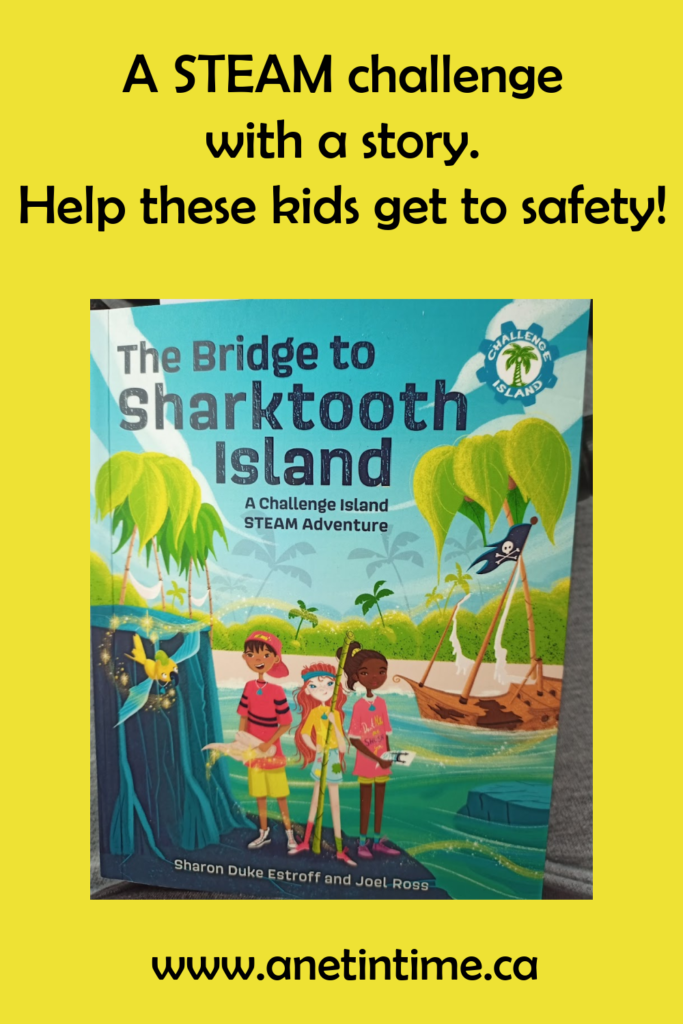
The Bridge to Sharktooth Island

November 24, 2021 By Annette1 4 Comments

Disclosure: I received this complimentary product (The Bridge to Sharktooth Island) through Ascot Media.  Affiliate Links will be used, thank you for your support of my blog, costs you nothing to do so.

Three youth, living their lives, and then suddenly they are magically transported else where.  This is the start of an adventure they will not soon forget!  They will have to use all their ingenuity and individual skills to see their way through.  
The Bridge to Sharktooth Island

The Basic Details of The Bridge to Sharktooth Island

The Bridge to Sharktooth Island is the first in a series from A Challenge Island STEAM adventure.  West Margin Press gives us a book put together by Challenge Island Founder/CEO and award-winning educator Sharon Duke Estroff, with award-winning author Joel Ross and internationally-known illustrator Mónica de Rivas. 

Running at 128 pages, youth 7-10 years old are entertained and then challenged to learn the skills presented in this STEAM adventure. 

Learning more

Imagine, you are just out having fun with your cousin, you hear a drum beat and suddenly you are whisked away.  Can you figure out how to get home?  Or even how to get to safety?   Clear text tells the story with clues provided appearing in italics.  Pay attention, you might find the solution before these explorers do! 

Sometimes you need to see a potential solution before you can work it all out.  Will this solution be the key or do they need to re-read the clues given? 
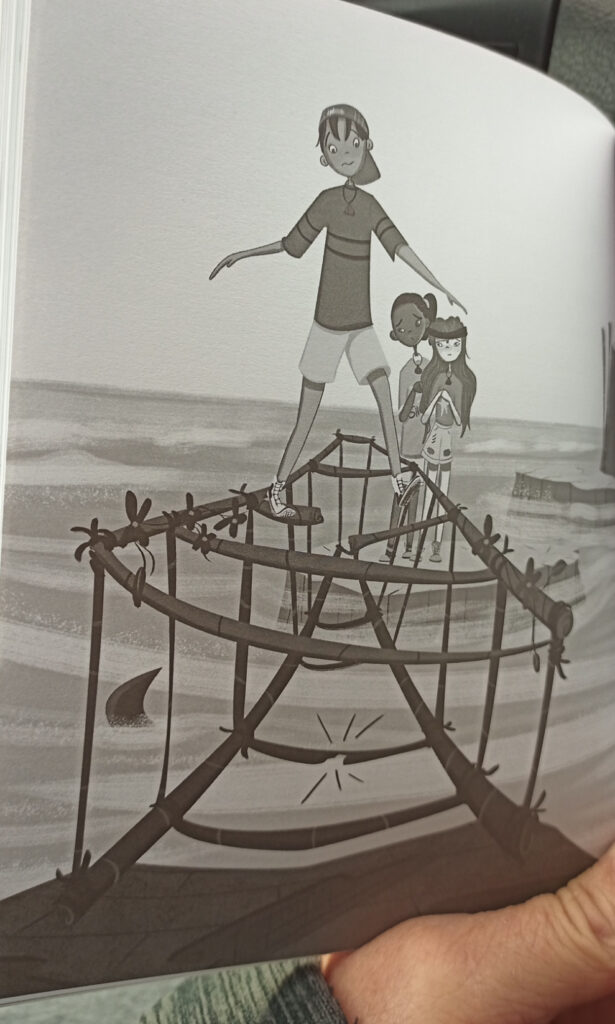
One of the things I like about this book is that readers have a choice.  It’s one they have to actively make.  Will they  wait and let the trio figure it all out OR will they try to figure things out before moving on in the story?   It’s easy to find places to stop to think it through before moving on in the story.  AND if you want to try your skills a variety of activities can be found at the close of the book.   From bridge-building, to learn facts about sharks, to doing art or math.  It’s a full-ahead STEAM adventure!  
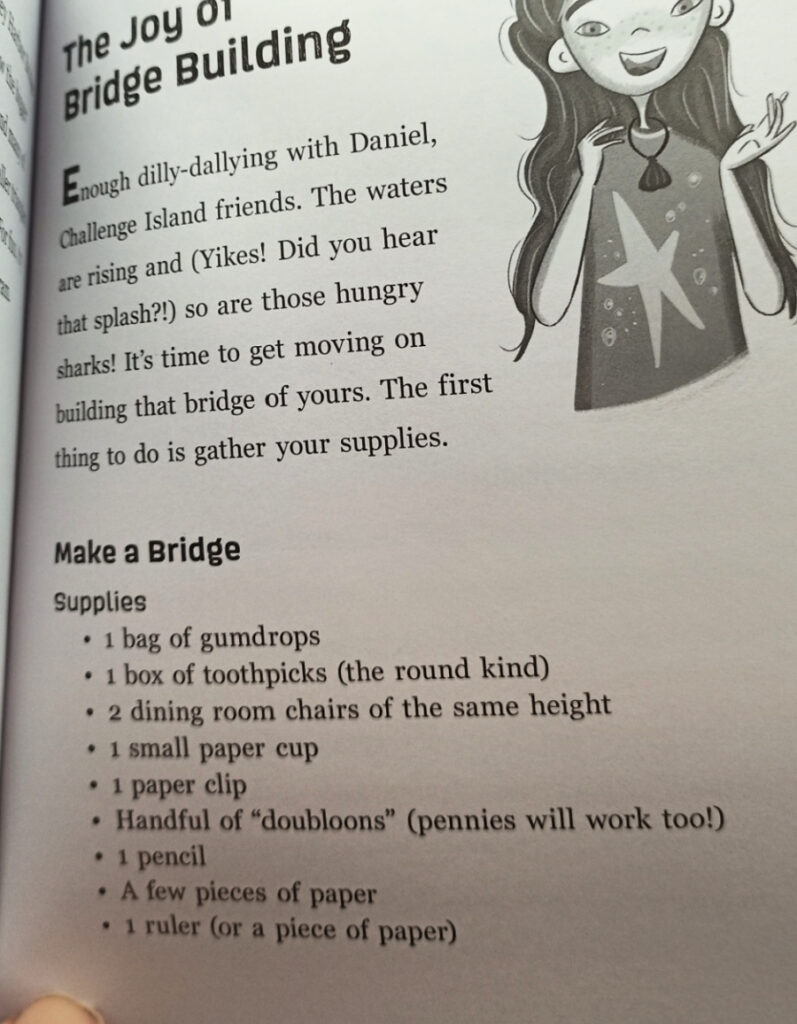
Who would this STEAM book be good for?

I can totally see teachers in public and private schools picking up this resource to use with their students.  The natural breaks between the clues and figuring out how to use them.  Wonderful helps at close that you can actually put into practice… fantastic all-round. 

My own quibble was .. it didn’t make sense… these kids just doing their own thing and then suddenly they are transported into a dangerous situation. I was lost for a bit when it happened as the disconnect was so solid.  Other than that the story made sense logically.  

Dangerous situation, they had a strong need to figure out a workable situation and were provided the clues they needed to do so.  The Bridge to Sharktooth Island is a good STEAM adventure to take your 7-10 year olds on. 

OH!  And did you know you could even plan a trip to Challenge Island?  They have a variety of locations in Canada and the USA. 

Filed Under: Homeschooling, Reviews Tagged With: Art, Book Review, Homeschooling, math, Science

Highschool Math with CTCMath

July 8, 2021 By Annette1 2 Comments

Disclosure: I received this complimentary product through the Homeschool Review Crew

You know what CTCMath does? It provides bite sized chunks of learning so that even an “approaching her senior years” mama can brush up on her highschool math.  It even allows a high school lad to do his math, but to do it how HE wants to do it.  For instance, he’s been playing around with Pre-Calculus some days, and other days he reminds himself of his Algrebra II skills. I set no expectations for him as he is a rather busy lad and this is a “fit it in if you can” bit of curriculum for him.  I’ll let you know what he thinks later on in this review.  Suffice it to say though, one can do highschool math with CTCMath and excell at it!

Highschool Math with CTCMath

The Basic Facts of CTCMath

CTC covers all your math needs from kindergarten all the way up to grade twelve. You get all the math, for all grades in one package.   Stop and think about that for a moment.  If you aren’t sure what level of math your children are at, you can test out each level until you find one that is a good fit.   AND since it is self-paced, your children can move as fast as they want (or as slowly as they want — or you allow) through the curriculum.  Pricing is reasonable since you get all the math and can take as many math courses as you’d like. 

Diagnostic Tests accompany every grade and chapter helping you pinpoint areas of difficulty, or areas that you already know well. Because face it, not all math programs are created exactly the same. Concepts are taught differently depending on which program you are using.   This online math program helps homeschoolers learn all they need to know with bite-sized lessons that flow logically from one step to the next. 

What courses are included you ask?  

  • Elementary math for Kindergarten to grade Five.
  • Middle school math for grades six through eight. This includes 6th grade math, elementary measurement, elementary geometry, along with basic math and pre-algebra.
  • High school math contains Algebra 1 and 2, Pre-Calculus (including trigonometry), Geometry and Calculus.

How Does CTCMath Work?

Each Student gets their own login information and the lesson opens to where you last stopped. 

As you work through a lesson you have two options.  Video (starts to play automatically) or a lesson summary available as a PDF.  These can be printed off or viewed online. 

As you view each lesson, if you understood the material well you can go directly to the questions.   If you did not, there are worksheets provided so you can practice before taking the test. Worksheets are graded as well, you just need to follow the instructions for doing that. 

Once you go onto the test for the unit, answers are immediately graded, and in the case of an incorrect answer, the correct answer is shown. 

Neither my son or I have gotten far enough in to say if there is a test for the entire unit, or even if there is a final test before closing out each section or course. 

How did we use CTCMath?

How did we use CTCMath?  My son immediately dove into PreCalculus.  He’s not moving fast as he fits a lesson in here and there. I occasionally ask him what he’s doing and he keeps me well-informed.   As a parent/teacher I could also look this information up online as well. I just prefer to get the information directly from him.  🙂 

I thought it would be good to get back into math as I have time so I’ve been working on Algebra 1, PreCalculus and Geometry.  Geometry I’m finding at this point really easy.  I have a personal goal of pulling off 90% in Geometry, I’ll be happy with 80% in Algebra and anything better than 60 in precalculus and later calculus will mean I’ll have beat my highschool scores!  🙂  So far, I’m finding it much easier doing my highschool math with CTCMath. 

I love that I can take diagnostic tests. WHY?  Because it gives me a taste of what is to come and if I do well, then I know I don’t have to do that section of questions.  Why work through something you’ve scored a 90% in? 

Can you do highschool math with CTCMath?

My Thoughts as Adult User:

I love math programs that are flexible in your approach to them.  The fact that you have both video and print options, diagnostic tests, ease at choosing what math program to work through, and automatic grading. All of this makes CTCMath a winner.   

Do I get frustrated at the small bites of information at time?  YES.. in geometry.  When it comes to algebra and precalculus though…small steps are a huge boon!  🙂 

It has been wonderful to see the changes made since I last reviewed CTC Math. The user friendly nature of this online homeschool math program makes it ideal for most families.   Using it now has made me see how easy highschool math with CTCMath can be. It has been a blue ribbon winner with the crew for a while now.

My Son’s Thoughts: 

“I like using CTCMath, I like that it states things very clearly, and I love how the videos are done.  It is easy to use and I like being able to look at the lesson summary as I watch the video.

One of the things I most liked was that as you took tests it would show you the percent mark as you completed it.   Sometimes the questions were too easy and I hope they get harder as I go through my course. But I found the questions and worksheets very easy to find and it’s a well made course. “

Highschool Math with CTCmath

CTCMath on Social Media

Facebook: https://www.facebook.com/ctcmath
Twitter: https://twitter.com/ctcmathofficial
Instagram: https://www.instagram.com/ctcmath
Pinterest: https://www.pinterest.com.au/ctcmath/
YouTube: https://www.youtube.com/channel/UCWn5e6974bpIEAe46VnovZw

CTCMath

Read the Reviews

43 members of the Homeschool Review Crew have been looking at CTCMath for the past bit.  Everyone will have their own experiences so I urge you to check them out, get a well-rounded view of this online homeschool-friendly math program.  You won’t regret it.
Online Homeschool Math with CTCMath

Filed Under: Homeschooling, Reviews Tagged With: Curriculum, math, TOS

Highschool Math with Teaching Textbooks

April 28, 2021 By Annette1 2 Comments

Disclosure: I received this complimentary product through the Homeschool Review Crew

Teaching Textbooks graciously filled up my son’s math requirements for the year with Geometry and Algebra 2.   He has been steadily using this self-pace math curriculum for most of the school year.  🙂    He started the year using Geometry 3.0, and is about 3/4’s of the way through Algebra2 4.0.  I have found this a wonderful use of my son’s time to be doing highschool math with Teaching Textbooks. 

highschool math with teaching Textbooks

What I am Reviewing: Teaching Textbooks

Teaching Textbooks is a comprehensive online math program that was written specifically for homeschoolers.  This program offers courses from grade three up through highschool, finishing at Pre-Calculus.  You’ll discover that the courses have interactive lessons, step-by-step presentation of materials, solutions are given for assigned problems, immediate feedback and automated grading.  For those students who don’t want to use the animated lessons there is a course workbook.   There are incentives off with animated buddies and fun wallpapers. 

The products that we used are Geometry and Algebra 2.  Teaching Textbooks offers a free trial which is a complete version of their program up through Lesson 15. Isn’t that a generous trial period?  Both of these courses cost $67 for 12 months, and you are allowed to suspend your course if you need to.  I don’t know how long you can do that for, that would be a detail to discuss with the very helpful Teaching Textbook staff.   

How did this Online Math Curriculum Work?

The best way for me to show you the difference between 3.0 and 4.0 is thru comparison in images.  Teaching highschool math with Teaching Textbooks just got more engaging. 

The lesson area on the screen is larger in the 4.0 than in the 3.0 with larger font as well. 

You’ll find encouragement and colour with their incorrect answer feedback screen. 

The full-screen version of 4.0 fills more of the screen and has simpler navigational controls. 

One of the neat changes to the 4.0 was the addition on the interactive elements.  

I thought I had captured a “before” image of how they did the correct answers in the 3.0, but failed to do so.  Always the interaction was immediate.   The new correct answer screen is more colourful. 

One of the things I like is that the apps are readily available to use and only require the use of a password to access.  

How did we use Teaching Textbooks?

My son is a fairly independent lad so once he had the password and later on, the app installed, he simply used it.  It is a completely self-paced course and he chose to use the ebook rather than the spoken and interactive lessons.   He only used the online portion of the program to take the tests. 

The lad’s use of the ebook rather than the program.  There are several reasons why he preferred the ebook to the regular way of doing the lessons.  When it comes right down to it….. he found it faster to use the ebook.  My boy loves to do his work as efficiently as possible, anything he deems a waste of time gets his dander up.  🙂   

Ergo, being able to monitor his progress using the program simply didn’t work for me.  I would occasionally check in with him to see his progress and to talk over any concerns, but left him to it. 

Admittedly this picture is posed and I need to reassure my lad that nothing identifiable would be shown, but this is basically how he’d work.  He’d pull up his lesson, read it through, do the practice questions, and then go back to do the tests.  

I have to admit, it was a bit disconcerting at first to realize I couldn’t monitor his progress with the clicking of a button, but needed to physically check in on him.  That’s worth it’s weight in gold actually in my world!  When you have a very independent lad… it’s so good to have a reason to talk with each other.  This… I like!  🙂   I am so pleased that Teaching Textbooks offers the ebook option as it works splendidly for how my boy likes to work. 

Oh look! Marking results! 🙂

My son informed that he’s filled in some of his test scores so I can see how it all looks.  He’s doing well which I’m delighted to see.  BUT if you go to the gradebook you can see how they are doing which is lovely is it not?  

This is particularity that my lad has.  He does all his chapter work but doesn’t do the test immediately after.  My son’s goal is just to learn and in a lot of ways doesn’t want to be bothered by tests.  He’ll then review his knowledge and go back and do the tests (mostly because I expect him to).  He says he learns better doing it this way as well.  He does this with virtually everything course he has unless he has no choice. 

I really like the teaching highschool math with teaching textbooks is so easy.  They engage all types of learners. 

My Son’s Opinion

It was an okay program although I didn’t like the normal lessons. I liked that I had the option to use ebook instead of the normal lessons.  It did a pretty decent job of explaining things.  Most of the time I could use the program as it was designed, but sometimes I wanted to know a bit more, or needed extra confirmation that I understood it properly.  I would just go to youtube when I wanted that help.   

I didn’t like the normal lessons because I didn’t care for the narrators voice and I could read faster than he spoke. If I could have found a way to turn him off I would have.  Using the ebook as I could do the lessons faster and I liked that. One thing I would like to see is in app volume control.  I liked doing both geometry 3.0 and algebra 2 4.0.  There was less wasted space with the 4.0 than with the 3.0 which I much preferred, though I wonder why the lesson space couldn’t fill the whole screen rather than just a small portion.  By increasing the viewable lesson area the font size could increase and/or you could put more material on the page. 

My Closing Thoughts

I will initially hesitant about doing this review as my last foray with Teaching Textbooks (grade seven) was a total bust.  It was!  BUT this year, my son has not complained about doing his math.  He simply does it and is happy to do so.  He’s a boy who likes math and is picky in his course materials.  So it works for him!  WOOT WOOT.  I am so delighted I added this review to our curriculum choices this year. 

If you have a child who doesn’t like interactive math programs and likes mixing workbooks with online materials I would say that doing highschool math with Teaching Textbooks is an excellent alternative for you.  Give it shoot eh?  Try the trial period and so it going completely at their own pace works for your student.  You will find yourself pleasantly surprised. 

Social Media Links

You can find Teaching Textbooks on the following platforms.  

  • Facebook
  • Twitter
  • Instagram
  • YouTube

Hashtags: #hsreviews #TeachingTextbooks

SEO Keywords: Homeschool Math, Homeschool Math Curriculum

Teaching Textbooks Logo

Read the Reviews

Did you know that 31 members of the Homeschool Review Crew worked with Teaching Textbooks so we could explain how their math curriculum works?   If you’d like to know more than just my thoughts, click through the image below. 

click to read

Filed Under: Homeschooling, Reviews Tagged With: Curriculum, math, TOS

Review: NatureGlo’s eScience

October 7, 2020 By Annette1 4 Comments

DISCLAIMER: I RECEIVED A FREE COPY OF THIS PRODUCT THROUGH THE HOMESCHOOL REVIEW CREW IN EXCHANGE FOR MY HONEST REVIEW. I WAS NOT REQUIRED TO WRITE A POSITIVE REVIEW NOR WAS I COMPENSATED IN ANY OTHER WAY.

I have reviewed NatureGlo’s eScience program in the past.  My son LOVED IT.  He used it for a full year and learned so much about math, art, science, history and how it all intertwined.  Just so very intriguing.  Ergo, when the opportunity came up to review the MathArt and Science Course Bundle, I leapt at the opportunity.  I was particularly interested in the Marine Biology courses and wanted to do this all for myself.   

My lad had the benefit of my learning as when he told me about his learning over the day, I could also tell him what I learned.  🙂  Marine Biology is fascinating, especially the way it is laid out in this course!

What I Received

I received one year of access to NatureGlo’s eScience MathArt & Science Course Bundle. This was a special bundle designed just for the Crew and comes to us from NatureGlo’s eScience.  It gave us a chance to sample a variety of the courses that NatureGlo provides to its audience. This is a private 25-course bundle, containing courses from Glo’s MathArt and natural sciences classes. In my opinion, it is geared forstudents in upper elementary to lower highschool.

The 25 courses were

  • Botany (redwood trees)
  • Bubbleology
  • Geology
  • Herps Explorers (three separate units)
  • Herps Zoology (two separate units)
  • Introduction to MathArt
  • Invertebrates
  • Marine Biology (six separate units)
  • Mammals
  • MathArt (six separate units)
  • Marine Reptiles
  • Marine Zoology (two separate units)
  • Math Connections with the Real World
  • Life and Mathematical Art (two separate units)

The Details about NatureGlo’s eScience

Nature Glo’s eScience is so easy to use. Once you are logged in and have your courses in front of you, you click on what you want to do and then you are off.  You’ll have the lesson on one side, and lesson outline on the other. 

You’ll find that each unit is a separate study covering specific topics.  Each unit is broken down into easily managed pieces.  One day you might complete a couple of slideshows, another day fill out a PDF, and yet another day complete a project. Nothing is too onerous and leaves you time to supplement if you want to know more or to just learn what Glo presents. 

Units vary in length from one to six lessons.  The length of each unit is clearly shown, and even though it’s one lesson, you may decide to do it over several days. Every unit within NatureGlo’s eScience course is self-paced.  Doing them in the order listed makes sense but I did play around with doing some of the lessons in a different order. This made it fun and it still made sense but it was better to follow the lessons the way they are laid out. Learning still happened. 

To help you track where you are, as you complete each part of a lesson you mark complete at the close of each lesson.

The quiz that I ran into was done in a matching game format. It was easy to do and was timed but it didn’t feel like a “pressure to complete” timer.  Just an encouragement to keep moving.  🙂   Below you’ll find an image of a partially completed quiz.  If you connect two and they are incorrect they will flash red. 

How I used NatureGlo’s eScience

I predominately played around with the marine biology courses.  So fascinating!   It was great to work my way through the lessons and occasionally make side trails as I wanted to learn more.  Like when I went to youtube to learn more about comb jellies instead of waiting for a future lesson with video!   

Please don’t misunderstand me, the lessons come complete with their own videos, but sometimes I just chose to seek out my own sources since I’m so curious about what I’m learning about.  🙂   Very informative lessons that make you curious to find out more information. 

I appreciated how I could see where I was in the lesson as I progressed along.  Lessons completed being striked out, lesson current in yellow, and upcoming lessons in purple.  It’s nice to know when you have a quiz coming up isn’t it?  🙂 

I was able to finish the jellies, mollusks and whales but not additional courses. I’m trying to decide if I want to do dolphins/turtles or fish next.   I’m also looking to start the Marine Zoology 1 course.  I figured marine zoology and marine biology belong together right?  🙂  I am hopeful by year-end to complete all the marine courses that NatureGlo offers in this bundle. All six of the marine biology as well as marine reptiles, and marine zoology 2.   I am finding it to be a nice addition to the marine course from another vendor.

I did run into one video that was informative but felt geared to young children. My choice was to look for another video that suited my demographic better.  Don’t be afraid to do that. You know your students best, and watching something more suited to their age bracket makes sense.  It’s hard to pick something that works well for all age groups.

Should you get NatureGlo’s eScience?

I haven’t looked at the MathArt courses again, nor at the Herping or Geology courses.  The Herp courses sound interesting.  I enjoy watching youtube videos from reptile owners, and the amount of information out there to learn is fantastic; and they are animals… who wouldn’t want to learn more about them?  When I finish marine zoology perhaps that will be my next stop!  🙂 

You can tell that Glo loves her job.  Her enjoyment of math, art, nature, history, and science shines through in all her material.  I urge you to check out NatureGlo’s eScience today.

If you’d like to check out my previous review I’d be delighted. 

Social Media Links:

Facebook: https://www.facebook.com/natureglo1
Twitter: https://twitter.com/@natureglo
Instagram: https://www.instagram.com/natureglosescience/
Pinterest: https://www.pinterest.com/nesschool/
YouTube: youtube.com/user/1hasc

A bunch of us over the crew have been enjoying this specialty pack from NatureGlo’s eScience.  Read all 50 reviews by clicking the image below. 

tos click

Filed Under: Homeschooling, Reviews Tagged With: Art, history, math, Online, Science

Junk Drawer Geometry

December 4, 2018 By Annette1 2 Comments

Pretty soon my lad will be taking a geometry course, so imagine how delighted I was to get a review copy of Junk Drawer Geometry.  I now have 50 hands-on activities to help my son make sense of polygons, mobius strips and angles. 

Junk Drawer Geometry

From the cover:

Geometry is a hands-on subject.  What better way to explore the concepts of area, perimeter, and volume than actually measuring area, perimeter, and volume?  With this helpful resource, you will polygons out of pipe cleaners and flexible drinking straws, explore Mobius strips made from index cards, model the Pythagorean theorem using cheese crackers, and much more.  Junk Drawer Geometry proves that you don’t need high-tech equipment to comprehend math concepts – just what you can find around the house or in your recycling bin. 

What you Get:

Divided into three chapters

  • Geometry tools: 14 sections such as Pencil Compass, Right Angle String, Unit Circle Glove etc.
  • Geometry labs: 18 sections such as Inscribed Angle Circles, Straw Triangles, Thumbs Up etc.
  • Fun Geometry activities: 18 sections such as Math Triangles, Circle Art, Tangrams etc.

There’s not an area of Geometry that this book doesn’t cover.   Shapes, theorems, tangents, graphs, compasses, calipers, area and volume and so much more!

It was ever so helpful that each project comes with a materials list.   I found that most materials are easily found around the house, OR easy to find at your local dollar or hardware store. 

Junk Drawer Geometry

Step by Step instructions walk you through exactly what you need to do.  The pictures clearly showing what you need to do, eliminating confusion. 

Junk Drawer Geometry

I particularly appreciated that math behind the activity was clearly explained.  From understanding the importance of circles, the relevance of figuring out area, why it works to your hand to measure items at a distance, and why marshmallows work so well to understanding volume. 

Junk Drawer Geometry

My Thoughts: 

Junk Drawer Geometry follows a similar pattern to Junk Drawer Engineering.  Grayscale images with clear instructions make it so easy for the student to complete the activity.  There is an excellent range of activities, some very simple, and others that are a bit more complicated. Step by Step instructions along with understanding the math behind the activity.  Robert Mercer brings geometry into the real world for his readers.   All of the activities are quite doable and you should have no problem finding the materials to make them.   Definitely worth adding to your study of Geometry. 


Junk Drawer Engineering: 25 Construction Challenges that don’t cost a thing Bobby Mercer Chicago Review Press Ages 9 and up 208 pages Type: STEM Challenges, Trade Paperback Series: Junk Drawer Science


Junk Drawer Geometry: 50 Awesome Activities that don’t cost a thing
Bobby Mercer
Chicago Review Press
Ages 9+, 208 pages
STEM Challenges, Math, Geometry, Hands-on
Trade Paperback
Series: Junk Drawer Science


Reviewed for Chicago Review Press.

disclosure

Filed Under: Homeschooling, Reviews Tagged With: math, STEM

Want to Learn Math?

April 6, 2018 By Annette1 Leave a Comment

This week for “my want to learn” series I thought I would cover math.  I hope you didn’t miss the free sites for learning foreign languages.  Today I have 26 free sites for you to check out.

want to learn math

I’ve pulled together a list of free math websites that you might find helpful in your journey to teach math to your children.   Math games, math worksheets, videos, problems and more. 

MIT: all kinds of undergraduate and graduate courses in mathematics.   Check out their listings here.

Khan Academy: many homeschoolers have this as their go-to math.

MathSprint: worksheets to download and use.

Ureddit: upper level mathematics.

Splash Math for kids in 1-5.  Games, learning etc.

Adapted Mind.  For kids 1-8.

National Library of Virtual Manipulatives.  K-12 for all branches of math.

HomeAdvisor. A  list of math games and resources.

Math.com. Basic math through to calculus and much in between.  Worth checking out.

IXL. math is more than just numbers. With unlimited questions, engaging item types, and real-world scenarios, IXL helps learners experience math at its most mesmerizing!

Apples for the Teacher as a variety of math activities for elementary school children.

Math Fact Cafe. For grades 1-5, a math sheet generator.

Arcademics has a number of free math games.

Dad’s Worksheets.  Lots of math worksheets, and some good explanations too!

Want to learn math? Math is free

BlueBonkers has a few math sheets from fractions through algebra.

Actuarial Foundation.   Math resources to about grade four.

CoolMath4Kids I think was one of the first math games sites I ever found.   This is their junior site.  They also have a site for older students Cool Math.

Math Apprentice. Games for middle school age math.   Not all easy.  Takes some thinking.

Middle school math to cover?   Try out master math.  Video, worksheets, etc.

NRich.  The NRICH Project aims to enrich the mathematical experiences of all learners.  I like this site as some of the questions postulated make a person think a bit.

Sheppard Software has some neat games that work decently to help a student practice their math skills.  From elementary level and up.

Algebra One.  Learn algebra for free.  Videos, worksheets. 

Math is Fun presents Sam Lloyd puzzles.  You might find these fun to work through with your students. 

Canadian money worksheets!  Woot woot!   Canadian money!!!!   There’s also another Canadian site here : Money and Youth. This one is hosted by Investor’s Group.

Purple Math.   All sorts of math to be found here. 

Hippocampus. Arithmetic, Algebra & Geometry, Calculus & Advanced Math along with Statistics & Probability

Learn with Math Games. Come and explore our site where you’ll find lots of fun math activities and other cool math stuff!

Filed Under: Homeschooling Tagged With: Freebies, math

Review: MathArt by NatureGlo’s eScience

March 13, 2018 By Annette1 Leave a Comment

My son was very excited when he watch the trailer for NatureGlo’s eScience MathArt courses.  The idea of combining math with art, science, history and more was very appealing to him.  The MathArt Online 4-class bundle is proving to be just the ticket for him.

NatureGlo's eScience, a cross curricular math program, online, self-paced and encouraging of independent thought

Gloria Brooks developed these classes with the idea of encouraging students to ask questions.  As such she doesn’t say you have to do this, and then this, and then that.  But rather sets out the teaching aspect and then encourages her students to follow up with what they want to learn more about.   There is a lot of freedom in her classes and she builds the learning up one step at a time. 

What course did we take?

My son has been busy learning about Fibonacci and the golden ratio. How it can be found everywhere in the world.   He’s been enjoying this mostly on-line program with PDF’s.
NatureGlo's eScience, math connections with the real world

This course includes

#1: Introduction & History of the Golden Ratio and the Fibonacci Numbers
#2: The Golden Number & Fibonacci in Art, Architecture & Nature
#3: The Fibonacci Numbers in Nature
#4: The History & the Golden Ratio of the Great Pyramid
#5: Phi & Quasicrystals
#6: The Mathematics of Music

How did we use this?

My original goal, based on watching the overview and the free sample, was to have my lad do two lessons per week. We downgraded my expectations to one lesson a week, once we truly understood Gloria’s methodology.  We chose to spread out the workload thereby allowing my lad to really dig into the parts that he was most interested in.   It was great to be able to slow down and research terms we were unfamiliar with.  To break down the lesson into the bite sized pieces that my lad so enjoys.  It’s been so interesting watching him learn and what has peaked his curiousity. 

The first lesson, my son required a fair bit of hand-holding as he figured out how the program worked and that it was okay to stop and just research unfamiliar terms. It was a hard lesson for us, but we learned a lot!  We actually emailed Gloria and told her what we were struggling, and then had the joy of seeing how responsive Gloria was to questions from her students.  She reworked the first lesson plan just to help my lad better understand some terminology.  Isn’t it wonderful when a creator is able to do that?

Our Basic Routine went as follows:

Mondays my son would watch the video or read through the slides.  

The slides were basically the video without the audio component where she would read the slide and basically talk her way through them.   As you can see, the slides are very clear.

Tuesday and Wednesday

He would read through project possibilities and start to work on them.  Either by doing some research, watching videos and/or printing off materials needed and working through them. 

The student is able to pick from a variety of options for their project.  They can either choose to do a big project where they do a little bit every week, OR they can choose to do a smaller project every week.  My son chose the options of working on something smaller every lesson. 

One of the projects my son chose to do was making this tool to demonstrate the measuring for the Golden Ratio.


Thursday quizzes

My son made me laugh.  We discovered the quizlets…and he sits beside me excitedly telling me that he beat his last score!   “Mom, do you think I can get down to 10 seconds?”   As you can see from the picture below they have different quizlets: Match, Learn, Test, Flashcards and Spell.  Each of these quizzes teaches or tests the material the student needs to know for the lesson test.  

I love having all the PDF’s, being able to download them and save it all the computer. Being able to print off JUST the pages that I want.   My son enjoyed being able to print off the tests as well as being able to do them online. He didn’t like that the online tests would mark the answer as wrong if you capitalized the word rather than leave it as lowercase.

On the otherhand, he loved it, if he got an answer wrong, that it would tell him what the correct answer was.

I found that the PDF’s were very thorough.  From the student workbook delineating projects for the class, to the study guide that goes through the powerpoint presentation, and lesson quiz (along with the answers), Gloria covers all the bases that she can.

Tip One:

When looking for the course you want and you can’t see it, click the “all courses” button. 🙂 For me, since I also have the free class listed as one of my courses, the all courses button screen looks like this:

Each class (Math Connections with the Real World, MathArt in Ancient Cultures, Mathematics in the Arts & Sciences, MathArt – Patterns in Nature) is six weeks long, my son is thinking he’ll work through the ancient cultures one next. 

Tip Two:

Make sure you utilize the side panel. Makes working your way through the course a whole lot easier. As you complete each lesson and mark it off, the colour fades and gets crossed out. This does not mean you cannot refer back to lessons. Each link remains active.

Benefits:

NatureGlo’s  eScience program is something a whole family can do together (at least the students 10 and up).  One price for the whole family.  It can be used by Christian and non-Christian families equally as origins are not discussed.  It’s interactive, and self-paced. You can see where you are in the course and go back and forth as many times as you need to. You get a slideshow with PDF downloads showing those slides one page at a time, as well as great study guides and workbooks to help you work through the material.  It all builds upon each other.  Gloria is very responsive to inquiries which is completely wonderful.  Content is provided for students who want to work beyond what is presented.  Students can approach this course in a manner that best suits them.

My Thoughts:

It’s organized in a way that my son can mostly work through the material on his own.  He tends to call me in when he’s working through a test, or trying to confirm just what a project is calling for.  I loved that his first journal project included a topic he loves… he found the Fibonacci sequence in spiders!   He was so delighted.  🙂

NatureGlo's eScience MathArt


Quotes from My Lad:

“Natureglo, so far I like it.  I like that I can either watch the video or I can just go through the slide show pictures on my own.   Sometimes I like to listen and other times I like to just read.” 

“One of the things I would have liked.  With the slide show videos, because she did them live, it would be nice if she could edit out where the students are circling things.”

“I really like that it gives me a choice as to what project I can do.” 

“I plan to work my way through all these courses Mom, I really like them.  Make sure you tell them that!”

NatureGlo's eScience.
MathArt Online 4-Class Bundle.
Gloria Brooks
Class length vary.
Four Bundle unit of online combination math, 
science, art classes
Pricing: See here.
For PC, Mac, Linux, iOS or Android platforms.
One year subscription.
Ages 10+

70 families from the Homeschool Review Crew Checked out NatureGlo’s eScience courses.  Click here or below.

Social Media Links:
Facebook:
Twitter:  Tag: @natureglo1
Pinterest:
Google+:
YouTube:

Filed Under: Homeschooling, Reviews Tagged With: Curriculum, math, Online, Science

  • Page 1
  • Page 2
  • Page 3
  • Interim pages omitted …
  • Page 11
  • Go to Next Page »

Primary Sidebar

ABOUT ME

I am centered by the love of God and family. Smiles are brought about being a Writer, Poet, Hiker and reader. Growth occurs as I educate my son, raise him up in the fear of the Lord, love up on my critters and live as a pastor’s wife.

Want to Stay Informed?

Subscribe and I’ll shoot you an email once a week.


Thank you!

You have successfully joined our subscriber list.


Recent Posts

  • Where Are You Now?
  • Half A Mind
  • Anger and the Voice of Reason
  • A Shift in Perspective
  • Affording Emergencies

Recent Comments

  • Rachel on Where Are You Now?
  • Sandra K. Stein on Where Are You Now?
  • Carol on Where Are You Now?
  • Annette1 on Half A Mind
  • Rachel on Half A Mind

Archives

Categories

  • Art
  • Art Books
  • Blogging Helps
  • Faith
  • Homeschooling
  • Poetry
  • Recipes
  • Reviews
  • Uncategorized
  • Writing

Footer

Amazon Affiliate information

A Net in Time is a participant in the Amazon Services LLC Associates Program, an affiliate advertising program designed to provide a means for us to earn fees by linking to Amazon.com and affiliated sites

Tinker Crate Affiliate

Copyright © 2026 A Net In Time. All rights reserved. All text, photographs, artwork, and other content may not be reproduced or transmitted in any form without the written consent of the author. A Net In Time · Lifestyle Pro - Child Theme On Genesis Framework · WordPress · Log in