• Skip to secondary menu
  • Skip to main content
  • Skip to primary sidebar
  • Skip to footer
  • Home
  • About Me
    • Privacy Policy
    • Disclaimer, Legal and Media Kit
  • Blog
  • Contact me

A Net in Time

Curriculum and book reviews, faith, homeschooling and more!

  • Art
  • Blogging Helps
  • Faith
  • Homeschooling
  • Poetry
  • Recipes
  • Reviews
  • Writing

TOS

Highschool Math with CTCMath

July 8, 2021 By Annette1 2 Comments

Disclosure: I received this complimentary product through the Homeschool Review Crew

You know what CTCMath does? It provides bite sized chunks of learning so that even an “approaching her senior years” mama can brush up on her highschool math.  It even allows a high school lad to do his math, but to do it how HE wants to do it.  For instance, he’s been playing around with Pre-Calculus some days, and other days he reminds himself of his Algrebra II skills. I set no expectations for him as he is a rather busy lad and this is a “fit it in if you can” bit of curriculum for him.  I’ll let you know what he thinks later on in this review.  Suffice it to say though, one can do highschool math with CTCMath and excell at it!

Highschool Math with CTCMath

The Basic Facts of CTCMath

CTC covers all your math needs from kindergarten all the way up to grade twelve. You get all the math, for all grades in one package.   Stop and think about that for a moment.  If you aren’t sure what level of math your children are at, you can test out each level until you find one that is a good fit.   AND since it is self-paced, your children can move as fast as they want (or as slowly as they want — or you allow) through the curriculum.  Pricing is reasonable since you get all the math and can take as many math courses as you’d like. 

Diagnostic Tests accompany every grade and chapter helping you pinpoint areas of difficulty, or areas that you already know well. Because face it, not all math programs are created exactly the same. Concepts are taught differently depending on which program you are using.   This online math program helps homeschoolers learn all they need to know with bite-sized lessons that flow logically from one step to the next. 

What courses are included you ask?  

  • Elementary math for Kindergarten to grade Five.
  • Middle school math for grades six through eight. This includes 6th grade math, elementary measurement, elementary geometry, along with basic math and pre-algebra.
  • High school math contains Algebra 1 and 2, Pre-Calculus (including trigonometry), Geometry and Calculus.

How Does CTCMath Work?

Each Student gets their own login information and the lesson opens to where you last stopped. 

As you work through a lesson you have two options.  Video (starts to play automatically) or a lesson summary available as a PDF.  These can be printed off or viewed online. 

As you view each lesson, if you understood the material well you can go directly to the questions.   If you did not, there are worksheets provided so you can practice before taking the test. Worksheets are graded as well, you just need to follow the instructions for doing that. 

Once you go onto the test for the unit, answers are immediately graded, and in the case of an incorrect answer, the correct answer is shown. 

Neither my son or I have gotten far enough in to say if there is a test for the entire unit, or even if there is a final test before closing out each section or course. 

How did we use CTCMath?

How did we use CTCMath?  My son immediately dove into PreCalculus.  He’s not moving fast as he fits a lesson in here and there. I occasionally ask him what he’s doing and he keeps me well-informed.   As a parent/teacher I could also look this information up online as well. I just prefer to get the information directly from him.  🙂 

I thought it would be good to get back into math as I have time so I’ve been working on Algebra 1, PreCalculus and Geometry.  Geometry I’m finding at this point really easy.  I have a personal goal of pulling off 90% in Geometry, I’ll be happy with 80% in Algebra and anything better than 60 in precalculus and later calculus will mean I’ll have beat my highschool scores!  🙂  So far, I’m finding it much easier doing my highschool math with CTCMath. 

I love that I can take diagnostic tests. WHY?  Because it gives me a taste of what is to come and if I do well, then I know I don’t have to do that section of questions.  Why work through something you’ve scored a 90% in? 

Can you do highschool math with CTCMath?

My Thoughts as Adult User:

I love math programs that are flexible in your approach to them.  The fact that you have both video and print options, diagnostic tests, ease at choosing what math program to work through, and automatic grading. All of this makes CTCMath a winner.   

Do I get frustrated at the small bites of information at time?  YES.. in geometry.  When it comes to algebra and precalculus though…small steps are a huge boon!  🙂 

It has been wonderful to see the changes made since I last reviewed CTC Math. The user friendly nature of this online homeschool math program makes it ideal for most families.   Using it now has made me see how easy highschool math with CTCMath can be. It has been a blue ribbon winner with the crew for a while now.

My Son’s Thoughts: 

“I like using CTCMath, I like that it states things very clearly, and I love how the videos are done.  It is easy to use and I like being able to look at the lesson summary as I watch the video.

One of the things I most liked was that as you took tests it would show you the percent mark as you completed it.   Sometimes the questions were too easy and I hope they get harder as I go through my course. But I found the questions and worksheets very easy to find and it’s a well made course. “

Highschool Math with CTCmath

CTCMath on Social Media

Facebook: https://www.facebook.com/ctcmath
Twitter: https://twitter.com/ctcmathofficial
Instagram: https://www.instagram.com/ctcmath
Pinterest: https://www.pinterest.com.au/ctcmath/
YouTube: https://www.youtube.com/channel/UCWn5e6974bpIEAe46VnovZw

CTCMath

Read the Reviews

43 members of the Homeschool Review Crew have been looking at CTCMath for the past bit.  Everyone will have their own experiences so I urge you to check them out, get a well-rounded view of this online homeschool-friendly math program.  You won’t regret it.
Online Homeschool Math with CTCMath

Filed Under: Homeschooling, Reviews Tagged With: Curriculum, math, TOS

Creation to Christ, flexible timeline

July 6, 2021 By Annette1 2 Comments

Disclosure: I received this complimentary product through the Homeschool Review Crew

Home School in the Woods creates these fantastic timelines I want to take a moment to tell you about.  Timelines that are NOT only good for your history and social studies lessons, but also good if you want to do character studies, or study people who exemplify certain traits you want your children to focus in on.   Characters from the bible are included, so using this set as you do biblical studies is an added bonus.   Today we’ll learn about the Timeline Set: Creation to Christ (Beginning – 100 AD).

Creation Through Christ

The Basic Facts about this Timeline Collection

It has been my privilege to review one of Home School in the Woods (HSitW) timelines before.  My son used the Historical Figures timeline.  Today I am happy to review the Timeline Set: Creation to Christ (Beginning – 100 AD).   This set encompasses history from when the world began through to 100 AD.  You will see such historical figures as Enoch, King Solomon, Pythagora, and Hannibal.  Both biblical and non-biblical figures are featured in this set. 

This set retails for $22.95 and as a digital product you will find yourself using it throughout your studies in the bible, history, character and more.   You will discover 250+ figures in black and white, in four formats.  Two are in wall size one with text description, and the other with just name and date.  You’ll find those same two formats in notebook size as well.     The wall size varies from 2.5 to 4 inches, with the notebook size ranging from1.5-2.75 inches.  BUT one of the things I love about digital products is once I cut and paste, I can make the size anything I want it to be.  🙂 

This set is geared for students in grades K through 12.  The Timeline series contains four sets: Creation to Christ, Resurrection to Revolution, Napoleon to Now,and  America’s History.  There is also the timeline collection and various add-ons you can do. This page will help you check out all those details. 

Home School in the Woods was started by Amy Pack as she searched for better ways to present history to her children.  Timelines seemed the perfect way to do that, and from then on the company has expanded their options. 

How does it work?

Once you download your timeline set it will look like this in your file once you unzip it.  Reading through the intro will give you a good idea how to use each of the file formats. 

History runs throughout the ages, timelines can done in a book format or on a wall, or as a notebook.  And Home School in the Woods has made it as easy for you to approach history how ever you want.  🙂  Size them to your needs, and teach history!

You’ll find the images come in two styles.  Titles and dates, or Titles and dates with a blurb. 

Home school in the woods Creation to Christ

Two sizes, small (wallet sized) or large (notebook size).   Use them at the size given, or copy and paste them and expand to whatever size you need them.   You might choose to do full page images and write on the back of them, in doing so you allow your students to see the name and the image and test their recall.  Over time you’ll have a full binder with interesting people from history, with facts that your students find important. 

I like how Home School in the Woods organizes their materials, making it easy for teachers and students to use.  The variation allows for so much flexibility it is fantastic.  Over the years I have reviewed a number of their products. 

  • Timeline figures collection
  • The war to end all wars game.
  • Artist Pack
  • Great Empires. 

Find Home School in the Woods on Social Media

Facebook: https://www.facebook.com/homeschoolinthewoods/
Twitter: https://twitter.com/HSintheWoods
Instagram: https://www.instagram.com/homeschoolinthewoods/
Pinterest: https://www.pinterest.com/hsinthewoods/_saved/
YouTube: https://www.youtube.com/channel/UCrKq6iLty2fpB6R6ZpcUb8A/videos

Should you get it?

YES!  I know, you’d expect me to say that eh?  But honestly, if you’ve ever followed my blog you should know that I don’t just blithely say “get this”.  I’m aware that everyone has different needs and different styles of homeschooling.  Some of us our faith based and others not.  One of the things I like about HSitW is that it is geared to all sorts of homeschoolers.  It includes historical figures from the bible and outside the bible.  While faith is behind the makers of this marvellous resource it isn’t the only thing going for it (if you know what I mean).   

These timelines can be used in so many different formats. 

Imagine a co-op that says “we’re going to study different figures of history”, and uses the depictions as colouring pages, notebook focal points, and/or a timeline on the wall.  Faith based or not, these depictions will work!

Or a mom who says, I want my children to have some heros (and maybe anti-heroes) so they can see what true character is like.  People of honour, honesty, faith, shrewdness in battle, or whatever you want to focus on.  

Imagine that you are doing a study on how the world began, use the images to help stimulate discussion and to set your explorations up better.  Or you are looking for truths of gospel revelation throughout history, studying the ancient peoples more indepth, you have the timeline pictures to act as a guide.   There are so many ways to use timeline sets from Home School in the Woods, I urge you to pick up the set that will serve you best today. 

Read the Reviews

You will need to check out the reviews of 47 members of the Schoolhouse Review Crew.  Home School in the Woods asked us to review the following products: 

Individual Timeline Sets (Grades K-12)

  • Creation to Christ  (Beginning – 100 AD)
  • Resurrection to Revolution (0 -1799 AD)
  • Napoleon to Now (1750 AD – Modern Day)
  • America’s History (Explorers to 21st Century)

Project Passport World History Studies (Grades 3-8)

  • Ancient Egypt
  • Ancient Greece
  • The Middle Ages
  • Ancient Rome
  • Renaissance & Reformation

Time Travelers U.S. History Studies (Grades 3- 8 )

  • New World Explorers
  • Colonial Life
  • The American Revolution
  • The Early 19th Century
  • The Civil War
  • The Industrial Revolution through the Great Depression
  • World War II

Maps Combo-Pak (US & World Maps)

Lap-Pak: Wonders of the World

Activity-Pak: The Old Testament

Activity-Pak: The New Testament


Hands On History with Homeschool in the Woods

Filed Under: Homeschooling, Reviews Tagged With: Curriculum, history, homeschool, TOS

Words Rock Online by EdAlive

June 29, 2021 By Annette1 8 Comments

Disclosure: I received this complimentary product through the Homeschool Review Crew

For the past few weeks I”ve been looking at a comprehensive literacy programme by EdAlive.  This Australian-based company creates online programs to help students increase their literacy, math, and reading success.  Words Rock Online allows for two methods of play, thereby encompassing a wide range of student needs.   Let’s learn more eh? 

edalive review

The Basic Details

Today I am reviewing EdAlive’s programme Words Rock Online.  They also produce two other games called Baggin’ the Dragon Maths Online and Volcanic Panic Reading Success Online. 

Words Rock Online is a programme designed with homeschoolers in mind. You can play in game mode, which lets you play one round of a game, then asks a question, rinse repeat.  We did not really use this mode in our home.  Then you have the questions only mode.  This mode gives you 10 questions to answer in each block. 

This homeschool languages art program focuses on reviewing all the different aspects of language arts.  You’ll cover advanced grammar, spelling, vocabulary, grammar along with punctuation.  The set-up allows you to zero in on a particular area, or cover all areas at the same time. 

Pricing is tiered.  The more children you have, the less you pay per subscription.  Their pricing page has details.  Pricing starts at $90/year.  Each subscription is suitable for one child due to the interactive elements. 

As you work through the interactive elements you can say if a question is too difficult.  Answers are provided if you get the question incorrect, but no explanations are given.  It’s a “test your knowledge” program, which allows you to research what you don’t understand. 

Words Rock Online is geared for students age 5-15+.   Some of the questions include easy grammar, fun spelling activities, word smart vocabulary, alliteration excises, as well as a variety of fun games for middle school and beyond.  

How Does Words Rock Online Work?

Words Rock Online has two modes.

Words Rock Online - EdAlive

I made a short video to show you what the game mode is like.   In the video mode you can play against other people, or against the computer.   It breaks up the answering questions with needing to hunt for slugs.  How well you perform your the questions affects your gameplay overall. 

In this household, we didn’t use this format very often. 

And also one to show you what the lessons only mode is like.   Lesson mode gives you a series of 10 questions in a row.  If you have chosen the all content you will get questions of all different sorts.  You can also choose to focus on specific areas to strengthen skills.   This was our predominant method of use.

You get two chances to get the work right.  If you are incorrect it will show you what you should have done.  You do need to make sure you read the question correctly and not miss any steps.  Sometimes you will need to capitalize your words or even though you are technically correct you will be graded as incorrect. 

Occasionally you will be asked a question that you don’t the answer to.  In that case you can say “too hard” or you can take a wild guess!  Most of the time you will be asked questions you can easily answer if you just think the problem through and take your time.  There are no time limits, so no pressure is applied that way.

Some troubles

In this question below the symbol was never defined so I thought the question was unfair.  Unless this is just something people are taught in grammar classes!    Note: I’m not a grammar geek.  🙂   I do wish that for some of the corrections that an explanation could be provided. 

Feedback

I love immediate feedback!  Not only for each question, but also for your overall session.   I also like that you can look back and see improvement if you go to tools and reports. 

If you finish your session you can stop or immediately start a new session.  How long you use the program is completely up to you.  You can finish a game or finish in the middle of a lessons-only series and it does not affect the program’s overall usefulness.  It will start up again when you next log in. 

As you can see it’s really easy to see how you are doing with EdAlive.  Areas that need additional work are easy to spot, as are the areas that your student excels in.  Feedback for student and teacher is very clear.

Should you Get Words Rock Online?

I love the variety of quizzing opportunities available in Words Rock Online.  The fact that you can complete the quizzes in two different formats is absolutely fantastic. Children learn in so many different ways so providing options is essential.   My son would be unimpressed with the game, and would appreciate that he can focus in on a particular type of lesson.  Other children would prefer the games, and/or like to mix up the lessons they get. 

Promoting attention to detail in answering questions was so important, and something I see a real need for in the papers I mark for a high school science class. It’s something I often remind my son to do.  Read the question all the way through.  Write your answer then reread the question to make sure you answered the entire question.   It’s annoying to lose points for not paying attention so I’m glad that EdAlive reinforces that important principle. 

Find EdAlive on Social Media!

Facebook: https://www.facebook.com/EdAlive
Twitter: https://twitter.com/edalive
Instagram: https://www.instagram.com/edalive_onlinelearning/
Pinterest: https://www.pinterest.com.au/edalive/
YouTube: https://www.youtube.com/EdAliveTube

Read the Reviews!

36 Members of the Homeschool Review Crew have examined EdAlive. I urge you to check out their reviews by clicking the image below.   We have looked at Baggin’ the Dragon Maths Online,  Volcanic Panic Reading Success Online and Words Rock Online.

click to read

Filed Under: Homeschooling, Reviews Tagged With: Language Arts, TOS

Dads Teach Teens Important Skills

June 14, 2021 By Annette1 2 Comments

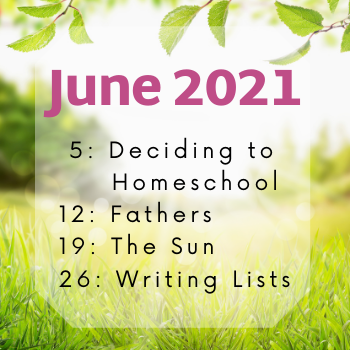
The TOS crew has given us a challenge to do a post about fathers.  I have to admit, this is a tough one for me.  Don’t misunderstand me, I loved my dad, but we didn’t have the easiest relationship.  Therefore when I think of dads, that relational difficulty sometimes gets in the way.   I got to thinking though about how my dad affected me as a teen, and what lessons he taught me in those important years.   Dads are so important in the lives of teens, we mustn’t forget that!  Dads teach teens important skills! 

Dad taught me

  • Devotion to God doesn’t have to be perfect.  My dad had a firm faith in the Lord but it wasn’t a perfect faith and he let his children know that.  He served the Lord faithfully, but admittedly was short-tempered, lacking in patience, and more.  YET through that… he served the Lord and taught us how to pray. 
  • To parent better than you were parented.  My dad did not have a good upbringing.  Some would call it abusive.  He made a CHOICE that he would not raise his children the way he was.  The older I got the more understand the choices he made. As I have parented my son I have shown him more grace and patience than I was shown as a child growing up.  In turn, I hope that my son will meld discipline and grace better than I did, with I hope, my eventual grandchildren.  This is a biblical principle as well as seen in Deuteronomy 5. 
  • Work hard!  At whatever it is that you do … do it well and work hard to accomplish the tasks set before you.   It doesn’t matter the job you do as long as you do it well. 
  • Be kind to the critters under your care.  Try to not be impatient with them, be careful with pregnant animals, be mindful of bulls as they can do serious damage, feed the best food you can, and don’t make your animals into soft pets or they will be useless as working animals. 
Dads teach teens important skills

You see, I saw my dad doing all this as a child, but as a teen is when it really started to impact me.  As I starting putting all the pieces together and seeing the choices he made, it made an impact.  Did it make our relationship easier?  No.  In fact we went through tough years, but in the end we came out okay. 

But you know what? 

Teens do this.  They look at their parents critically during their teens years.  They analyze how they were parented, they learn to ask questions, and formulate ideas for their future.  Teens examine, it seems, everything as they push toward being adults.  Dads help in this process as they answer their sons questions and show they how to be stand-up people.  How to live out their faith and how to care for those that surround you.  Even those men of few words!  🙂 

It got me to thinking, what things are there for dads teach their teens? 

Additional Dad taught Skills

  • How to fix things, or to jury-rig a solution, or simply how to use tools. 
  • Confidence in one’s abilities
  • Being fiscally responsible.
  • The importance of a firm handshake
  • Make plans, double-check them, follow through.  Be prepared for glitches along the way.
  • Have a reputation worth having.  If you say you’ll do something, follow through.  Be honest in your dealings. 
  • Learn the basics of taking care of your automobile.  Changing the oil, driving a stick shift and learning what different noises a car makes and what they mean.
  • Learn the fundamentals of math, it’ll serve you well in every aspect of life. 
  • Be willing to change your mind if the situation warrants it. 
June 2021 Social Media Challenge Graphic

NOW… Lest anyone take offense!  Moms have a big role in raising their teens as well and can teach all these skill sets as well… but dads do it in their own way don’t they?  And sometimes, we need each other to reinforce the behaviours needed right?  Two examples are better than one eh?  🙂   Besides… we don’t all have the same set of skills, so having help, broadens the horizons of these pre-adults and that’s not a bad thing right? 

Can you think of anything that I missed? Dads teach teens important skills… but I couldn’t possibly have thought of them all.  What skills did you learn from your Father?   What skills do you see your spouse teaching your teenagers? 

Filed Under: Faith, Homeschooling Tagged With: homeschool, Parenting, TOS

Highschool Math with Teaching Textbooks

April 28, 2021 By Annette1 2 Comments

Disclosure: I received this complimentary product through the Homeschool Review Crew

Teaching Textbooks graciously filled up my son’s math requirements for the year with Geometry and Algebra 2.   He has been steadily using this self-pace math curriculum for most of the school year.  🙂    He started the year using Geometry 3.0, and is about 3/4’s of the way through Algebra2 4.0.  I have found this a wonderful use of my son’s time to be doing highschool math with Teaching Textbooks. 

highschool math with teaching Textbooks

What I am Reviewing: Teaching Textbooks

Teaching Textbooks is a comprehensive online math program that was written specifically for homeschoolers.  This program offers courses from grade three up through highschool, finishing at Pre-Calculus.  You’ll discover that the courses have interactive lessons, step-by-step presentation of materials, solutions are given for assigned problems, immediate feedback and automated grading.  For those students who don’t want to use the animated lessons there is a course workbook.   There are incentives off with animated buddies and fun wallpapers. 

The products that we used are Geometry and Algebra 2.  Teaching Textbooks offers a free trial which is a complete version of their program up through Lesson 15. Isn’t that a generous trial period?  Both of these courses cost $67 for 12 months, and you are allowed to suspend your course if you need to.  I don’t know how long you can do that for, that would be a detail to discuss with the very helpful Teaching Textbook staff.   

How did this Online Math Curriculum Work?

The best way for me to show you the difference between 3.0 and 4.0 is thru comparison in images.  Teaching highschool math with Teaching Textbooks just got more engaging. 

The lesson area on the screen is larger in the 4.0 than in the 3.0 with larger font as well. 

You’ll find encouragement and colour with their incorrect answer feedback screen. 

The full-screen version of 4.0 fills more of the screen and has simpler navigational controls. 

One of the neat changes to the 4.0 was the addition on the interactive elements.  

I thought I had captured a “before” image of how they did the correct answers in the 3.0, but failed to do so.  Always the interaction was immediate.   The new correct answer screen is more colourful. 

One of the things I like is that the apps are readily available to use and only require the use of a password to access.  

How did we use Teaching Textbooks?

My son is a fairly independent lad so once he had the password and later on, the app installed, he simply used it.  It is a completely self-paced course and he chose to use the ebook rather than the spoken and interactive lessons.   He only used the online portion of the program to take the tests. 

The lad’s use of the ebook rather than the program.  There are several reasons why he preferred the ebook to the regular way of doing the lessons.  When it comes right down to it….. he found it faster to use the ebook.  My boy loves to do his work as efficiently as possible, anything he deems a waste of time gets his dander up.  🙂   

Ergo, being able to monitor his progress using the program simply didn’t work for me.  I would occasionally check in with him to see his progress and to talk over any concerns, but left him to it. 

Admittedly this picture is posed and I need to reassure my lad that nothing identifiable would be shown, but this is basically how he’d work.  He’d pull up his lesson, read it through, do the practice questions, and then go back to do the tests.  

I have to admit, it was a bit disconcerting at first to realize I couldn’t monitor his progress with the clicking of a button, but needed to physically check in on him.  That’s worth it’s weight in gold actually in my world!  When you have a very independent lad… it’s so good to have a reason to talk with each other.  This… I like!  🙂   I am so pleased that Teaching Textbooks offers the ebook option as it works splendidly for how my boy likes to work. 

Oh look! Marking results! 🙂

My son informed that he’s filled in some of his test scores so I can see how it all looks.  He’s doing well which I’m delighted to see.  BUT if you go to the gradebook you can see how they are doing which is lovely is it not?  

This is particularity that my lad has.  He does all his chapter work but doesn’t do the test immediately after.  My son’s goal is just to learn and in a lot of ways doesn’t want to be bothered by tests.  He’ll then review his knowledge and go back and do the tests (mostly because I expect him to).  He says he learns better doing it this way as well.  He does this with virtually everything course he has unless he has no choice. 

I really like the teaching highschool math with teaching textbooks is so easy.  They engage all types of learners. 

My Son’s Opinion

It was an okay program although I didn’t like the normal lessons. I liked that I had the option to use ebook instead of the normal lessons.  It did a pretty decent job of explaining things.  Most of the time I could use the program as it was designed, but sometimes I wanted to know a bit more, or needed extra confirmation that I understood it properly.  I would just go to youtube when I wanted that help.   

I didn’t like the normal lessons because I didn’t care for the narrators voice and I could read faster than he spoke. If I could have found a way to turn him off I would have.  Using the ebook as I could do the lessons faster and I liked that. One thing I would like to see is in app volume control.  I liked doing both geometry 3.0 and algebra 2 4.0.  There was less wasted space with the 4.0 than with the 3.0 which I much preferred, though I wonder why the lesson space couldn’t fill the whole screen rather than just a small portion.  By increasing the viewable lesson area the font size could increase and/or you could put more material on the page. 

My Closing Thoughts

I will initially hesitant about doing this review as my last foray with Teaching Textbooks (grade seven) was a total bust.  It was!  BUT this year, my son has not complained about doing his math.  He simply does it and is happy to do so.  He’s a boy who likes math and is picky in his course materials.  So it works for him!  WOOT WOOT.  I am so delighted I added this review to our curriculum choices this year. 

If you have a child who doesn’t like interactive math programs and likes mixing workbooks with online materials I would say that doing highschool math with Teaching Textbooks is an excellent alternative for you.  Give it shoot eh?  Try the trial period and so it going completely at their own pace works for your student.  You will find yourself pleasantly surprised. 

Social Media Links

You can find Teaching Textbooks on the following platforms.  

  • Facebook
  • Twitter
  • Instagram
  • YouTube

Hashtags: #hsreviews #TeachingTextbooks

SEO Keywords: Homeschool Math, Homeschool Math Curriculum

Teaching Textbooks Logo

Read the Reviews

Did you know that 31 members of the Homeschool Review Crew worked with Teaching Textbooks so we could explain how their math curriculum works?   If you’d like to know more than just my thoughts, click through the image below. 

click to read

Filed Under: Homeschooling, Reviews Tagged With: Curriculum, math, TOS

Review: Handbook for Writers

March 10, 2021 By Annette1 2 Comments

DISCLAIMER: I received this product free through the Homeschool Review Crew

420 pages.  Just think for a moment.  How thorough do you think a Handbook for Writers could be?  Let me tell you, how through two main sections, why you need this resource in your schoolroom.  You will find Excellence in Literature Handbook for Writers a very thorough treatise from Everyday Education.  Let’s learn more about it.

Handbook for writers

What I am Reviewing

Janice Campbell from Everyday Education has put together a very thorough Excellence in Literature Handbook for Writers. Not only does your student learn how to write, but you as teacher are taught how to grade their work. Such a helpful book to own. 

It is available for $39.  I received my copy as a PDF which I downloaded to my computer and put on a thumbdrive for my son. This way it was easily accessible for both of us.  Normally I would send it out for printing, and I’m still considering doing that, but at 420 pages it’s a bit more than I currently want to do.  🙂   My son is not in a rush for me to do so as I tell him what page and section to look at, on the drive, when I’m having him correct his own work.  

Everyday Education is run by Janice Campbell.  She has a passion for helping high school students develop the skills they need to write university-ready essays. Her love for literature has led her to create a five-year program, self-directed program introducing the great books of literature.  The Excellence in Literature Handbook for Writers is a necessary part of this course. 

What you Get in Handbook for Writers

The Handbook for Writers is based upon the work by Ian Johnston who put together literature to help students become better writers. Ms. Campbell took that material, combined it, and turned it into a singularly helpful edition. If you have ANY questions in learning the mechanics of how to write, you’ll find the answers here. 
 
This handbook comes with two sections. The First contains detailed instructions and samples of written work for putting together arguments and writing essays. The second 
 
Part One: Introduction to Essays and Arguments
 
In this section you’ll be introduced to Arguments divided into the following areas:
  • Some Simple First Principles,
  • Setting Up The Argument: Definition,
  • Defining Key Terms,
  • Deduction & Induction,
  • Organizing The Main Body Of An Argument,
  • Paragraph Structure,
  • Paragraph Functions,
  • Writing Arguments About Literary Works,
  • Sample Outlines For Essays And Research Papers,
  • Critical Approaches to Shakespeare,
  • Some Criteria for Making Literary Evaluations.
Part Two: Introduction to Usage and Style
 
This section covers all the mechanics of writing.   
  • Phrases, Clauses, Sentences
  • Words
  • Basic Punctuation
  • Pronouns
  • Parallelism Or Parallel Structure
  • Clarity, Logic, Structure
  • Modifiers, Gerunds, Infinitives
  • References And Bibliographies.   
  • Basic Format for Essays and Research Papers.
  • Keyhole Essay Graphic

I can see so many ways to use this large resource

As a reference manual.  With its very clear table of contents, it would be so easy to look up a particular area and refine your skills. 

As a textbook.  One could simply read it, learn the skills, and then test one’s ability to put them to use. 

As a method of self-correction. If a teacher marks a section as incorrect in your essay, you could use this manual to learn how to write better. 

How Did I Use Handbook for Writers?

My goal for this Excellence in Literature Handbook for Writers was to use it to mark essays my son was doing for another course.  That was the goal.  Honestly, it didn’t turn out that way.  Best laid plans of mice and men… don’t always pan out.  

Instead, I asked my lad for some essays he has already written that I simply didn’t get around to marking yet.  This eased the pressure on both my lad and myself, in a time when Covid is starting to mess with our minds.   Seriously.  Too much lockdown, not enough getting out, it’s been a battle. AND these essays needed to be marked anyways!  🙂 

My goal with reviewing the Handbook for Writers was to have a helpful tool in grading my son’s written work.   I loved all the how-to’s for grammar, punctuation, word usage, etc.   It meant that I looked at my son’s work and a sentence would make me frown wondering why I knew it wasn’t written well, I could go to the specific section in the handbook and figure out why. 

Specific Examples

It was wonderfully helpful to say, third paragraph, you had some trouble.  Go to section —— and see if you can figure out where you went wrong.  Correct it for me, please. It gave him the specific assistance that he needed.  THIS is the beauty of having a PDF copy.  Occasionally I spared him the effort of looking up the section and simply sent a screenshot for him.   Honestly… he MUCH preferred it when I did this.  🙂 

When I mark a students’ work I make a point of not pointing out EVERYTHING they have done wrong.  I don’t want to be a point of discouragement, but want to overtime, have their skills improve.   So I’ll point out different concerns in different paragraphs. 

Sometimes my lad will ask “why did you do it here, but not here?” My response is “well in this paragraph it was glaringly obvious, this paragraph, this other issue leapt out at me.   Well done in spotting it yourself.”   Overtime, he’s improving, which honestly… is my goal. 🙂 

In the paragraph above I referred my lad to the section on phrases, use of commas etc. 

From that, he was able to spot his incorrect use of a comma and changed a couple of his sentences so they read better. 

I love having a resource that helps my son learn how to correct his own work. To be able to say, go to this resource, this section, so you can figure out what you can do better.  95% of the time that was all the help he needed.  The rest of the time, we’d have a discussion about it and he’d understand.  An excellent resource for us.

handbook for writers

What I wanted to dig into

One of the sections I most looked forward to reading through was Some Criteria for Making Literary Evaluations.  I found this article well-written, articulate, and made me ask questions.   I don’t know if I agree with all the sentiments expressed, but I appreciated the fundamental need to judge a work according to the type of work it is.  So to not judge a dramatic work as if it were a comedy. 

Would I add anything?

As a Canadian, the only thing I can see to make the Excellence in Literature Handbook for Writers better would be add a “Canadian particularities” section.  This section would focus on our Canadian spelling and grammar as it differs from American usage.  This would make it a truly North American resource. 

Should you Get Handbook for Writers?

You will find this a very thorough work with 420 pages.  It is available as a paperback or as PDF ebook for $39.

You can use it with any literature or writing program, but has been designed to go well with the other offerings from Everyday Education.   This well-written work will serve your students well as they move into higher education.   

Excellence in Literature Handbook for Writers is everything you need to round out your high school literature courses!  With specific examples, attention to niggly details, well-developed table of contents, and an easy-to-read format it’s a winner to go on your resource shelf. 

Social Media Links

Facebook | Twitter | Pinterest | Instagram

Everyday Education handbook for writers

Learn More about Everyday Education

28 members of the review crew have been privileged to look at the Excellence in Literature Handbook for Writers.  I urge you to read what others had to say about Everyday Education. 

click here

Filed Under: Homeschooling, Reviews Tagged With: Book Review, Curriculum, Resources, TOS

Review: Personal Finance Lab

February 24, 2021 By Annette1 2 Comments

DISCLAIMER: I received this product free through the Homeschool Review Crew

For the last few weeks, my son and I have been enjoyed playing a financial game put out by PersonalFinanceLab.com.  They have come out with an online game to help teach the basics of personal finance and trading in the stockmarket.  Imagine a game that my son enjoys playing that has nothing to do with blowing things up!  Pretty good eh? Personal Finance Lab is a great way to having fun and learning too!

Personal finance Lab

What I Am Reviewing

PersonalFinanceLab.com has come out with PersonalFinanceLab Budgeting Game, Stock Market Game and integrated curriculum.  I have received access for a school year which is nine months. 

What you’ll get is an online, unique experience for each of your students in learning Financial Literacy, Business and Economics subjects.   Integrated learning and assessments are built into a personal budgeting game and a stockmarket challenge. The goal is to provide learners with real-world skills that last a lifetime. 

Parents/Teachers can register an account for each student, and each account will have access to our personal budgeting game, stock game, 50 Personal Finance lessons, and 20 Introduction to the Stock Market lessons. 

Our resources start by using our budgeting and stock games as long-term foundational activities – teachers usually dedicate at least 30 minutes per week for each game they choose to include. Students typically manage their long-term budget and/or stock game portfolio over a 6 to 12 week period.

How We Used it

I set up the program, though honestly, I got frustrated in the set up.  I had it all set to go and then something odd happened and I really don’t what it was but I had to start from scratch and it seemed like too much work.  So I ended up just doing all the defaults no tweaking.  There are lots of ways to tweak in regards to how many lessons to complete.  I set up an account for me and for my 15 year old. 

I have predominately played the budget game, and have forayed briefly into the stock market where I seem to be having success.  My son spent all this time in the budgeting game.  He wants to complete it before moving on to the stock market.  Currently, for the budgetting game I am in my 7th month, my son is in his fourth month.  Each month takes about 20-30 minutes to complete. 

The Set Up of Personal Finance Lab

As the parent I have my own dashboard so I can see progress made.  I used this to set up how the game runs. My son and I each have our own dashboard.   I appreciate that not only is there an overarching dashboard which shows your progress in both financial areas, but also that each separate area has it’s own dashboard. 

personal finance lab

You can see the difference in each dashboard below. 

Budget game dashboard
Stock market Dashboard

The Budget Game

The budget game from PersonalFinanceLab.com places each student into the scenario of being a college student with a part-time job. They can customize their living arrangements, grocery bill, and entertainments.   The job helps them learn to balance their expenses against their income while reaching for saving goals.    

Game play lasts 18 months, you start each month needing to figure out your income, potential expenses, and hopeful savings markers.  On average I found that a month took about 20 minutes to complete, occasionally a bit longer.   

Game play proceeds through rolling a dice.  The dice will move when it it time to roll it.  Sometimes you progress through one day at a time and occasionally one dice roll will go through a few days. These dice rolls generate expenses and occasionally benefits!   

These expenses range in value from cheap purchases for cutlery or snacks, all the way up to expensive repairs on cars.  These expenses were not predictable and didn’t always make sense from a living life perspective.  I know my son struggled with multiple speeding tickets in one month.  

personal Finance Lab

On Fridays you get your paystub with all expenses delineated.

On the weekend you are given four options to engage in.  Working extra hours, socializing, doing chores around house or studying.  Sometimes these activities earned extra money, sometimes they would cost you dollars. 

Lessons pop up with consequences

Lessons would occasionally pop up teaching things like managing credit card debt, how banks operate, as well as other financial matters.  You would need to read through the lesson and answer a question correctly.  Answering incorrectly would incur a debit, answering correctly earned a reward.  Sometimes lessons would need to be read carefully to get the correct answer, and I found didn’t always match real-life (for instance on what day to get your credit card bill). 

Each month a variety of bills will pop up, some scheduled like electric, phone and rent.  Each pops up with a query on how much to pay and how. 

personal finance lab can't pay rent

At the close of the month you could see all your expenses at a glance (debits in red, incoming funds in green).  You’d also receive a pop up so you could see if you met your savings challenge, any bonuses received, and see how your budget balanced. 

The Stock Market Trading

I have to admit, I am a wee bit intimidated by the idea of trading in the stock market.  I look at it as so much potential to lose thousands of dollars.  It’s so nice to have a game where I can learn and not actually risk real money.  A game that runs in real-time with real stocks. AND there are videos and tutorials to help you through it all!   You will find these tutorials in the blue bar on the top of your screen. 

Every trade you make whether buying or selling won’t show up until the next day.  To be honest… I’ve made some bad trades simply because I didn’t pay enough attention to if stocks were on a downward trend or upwards. 

I did note that using chrome I couldn’t click through on names in a list even though the video said I could.  It was easiest to simply select from the list that appears on the right of the screen when trading. 

Students start off with 10 Introduction to the Stock Market lessons and a virtual $100,000 in a brokerage account.  Can you imagine having 100,000 dollars to play around with? 

I personally loved the little touches like the word of the day and quote of the day.  They added completeness to this package for me. 

Overtime your students will be able to build a portfolio of stocks, bonds, ETFs, and mutual funds at real-time prices.

You can completely look into the different stocks/companies available for trade as they have income statements, balance sheets, cash flow statements, historical prices, analyst ratings, and more.  Additional lessons occur as students get more experience. 

Technical Glitches Happen

Technical glitches happen, and Personal Finance Lab is no exception.  I don’t think I’ve ever used an online system that didn’t have something needing tweaking.  None of these glitches affect how the budget game progresses.  You get bills, payments, rewards, unexpected expenses, unexpected treats etc. Everything continues to function as it should BUT occasional head-scratchers have occurred. 

  • the minimum amount for credit card continues to be paid or at least appears in your calendar as being paid even if the credit card has been paid off. 
  • occasionally when you go to pay the rent on the day the rent is due the program skips me ahead a day or two meaning the rent then is overdue.  Now MY PROFILE won’t let me pay the rent early.  I was talking with my lad, and his profile will let him.   So I LOVE that the simulation isn’t the same for every person…but .. I want to pay my rent early!  🙂 
  • Sometimes if you want to perform an action, another action will overlay it (life event, pay stub etc), which occasionally results in odd things happening to the action you’d intended to take (saving money, paying credit card, etc).  I have an overdue notice on my account that I can’t figure out how to pay off for instance. 
Personal finance Lab

What I love about Personal Finance Lab

It has been a pleasure to work with Personal Finance Lab.   I think it’s a great program and wish every teen out there could use it.  Seriously.

I love that every player has a unique experience.  From how they customize their lifestyle to what rewards and unexpected expenses they get. No two games are exactly alike. 

I love that the information pop-ups are clearly written, though I have to admit to needing to reread a few in order to get the right answer. 🙂  Consequences/rewards given for reading through each carefully. 

Everything is worded in a clear, easy-to-understand manner.  Proper terminology is used but within a context that doesn’t put finance up over anyone’s head.

I adore that such an easy way to learn personal finance has been created.  What a wonderful way to introduce students to how to watch their money and learn how to budget.

completed month

What My 15-year old has to say

Overall I like the budget game, however, there are some things which I think could be done to improve it.

Starting with the positives some of the things I liked were. The clear display of necessary information at the top of the screen, things such as credit score, checking balance, net worth etc. The calendar which shows when bills will be issued and are due, as well how much money is spent and gained each day of the month. The way that bills are displayed and paid, which makes it easy to pay them, understand when they are due, and how much needs to be paid. I also like the way that lessons are done. They are opened as a pop-up which makes it easy to switch between them and the budget game, and stops them from getting in the way.

Some changes which would be nice would be if the game could go full-screen so you could see the entire thing at once, as because of how it is now either a small portion of the top, or bottom of the game will be off-screen. It would also be nice if purchases which would be optional in real life (such as buying snacks) were also optional in the game, as well as a way to avoid speeding tickets.

Personal Finance Lab

Social Media Links

Facebook: Personal Finance Lab.
Instagram: @pfinlab 
YouTube: Stock-Trak – 

Read the Reviews

25 members of the Homeschool Review Crew checked out Personal Finance Lab. Click the image below to see what we had to say. 

click to read

Filed Under: Homeschooling, Reviews Tagged With: Curriculum, finance, Review, TOS

  • « Go to Previous Page
  • Page 1
  • Page 2
  • Page 3
  • Page 4
  • Interim pages omitted …
  • Page 20
  • Go to Next Page »

Primary Sidebar

ABOUT ME

I am centered by the love of God and family. Smiles are brought about being a Writer, Poet, Hiker and reader. Growth occurs as I educate my son, raise him up in the fear of the Lord, love up on my critters and live as a pastor’s wife.

Want to Stay Informed?

Subscribe and I’ll shoot you an email once a week.


Thank you!

You have successfully joined our subscriber list.


Recent Posts

  • Where Are You Now?
  • Half A Mind
  • Anger and the Voice of Reason
  • A Shift in Perspective
  • Affording Emergencies

Recent Comments

  • Rachel on Where Are You Now?
  • Sandra K. Stein on Where Are You Now?
  • Carol on Where Are You Now?
  • Annette1 on Half A Mind
  • Rachel on Half A Mind

Archives

Categories

  • Art
  • Art Books
  • Blogging Helps
  • Faith
  • Homeschooling
  • Poetry
  • Recipes
  • Reviews
  • Uncategorized
  • Writing

Footer

Amazon Affiliate information

A Net in Time is a participant in the Amazon Services LLC Associates Program, an affiliate advertising program designed to provide a means for us to earn fees by linking to Amazon.com and affiliated sites

Tinker Crate Affiliate

Copyright © 2026 A Net In Time. All rights reserved. All text, photographs, artwork, and other content may not be reproduced or transmitted in any form without the written consent of the author. A Net In Time · Lifestyle Pro - Child Theme On Genesis Framework · WordPress · Log in